Built-in Voltmeter, Counter and Waveform Generator
查看
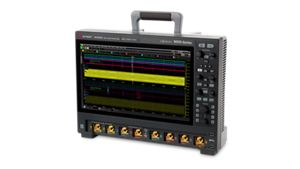
“Integrated Bench Tools” explores the capabilities and benefits of the digital voltmeter (DVM), counter, and arbitrary waveform generator (AWG) integrated into the Infiniium EXR and MXR-series oscilloscopes. These tools are designed to save time, budget, and bench space by incorporating commonly used bench instruments directly into the oscilloscope. The video begins by highlighting the integration of these tools into the oscilloscope using a separate hardware block. This setup includes a four-digit voltmeter and a 10-digit frequency counter behind the input channels, offering more accuracy and a simpler setup than traditional on-screen measurements.
The DVM setup is straightforward, accessed through the Measure - DVM menu. Users simply select an analog channel, a measurement type, and whether to auto range. The channel does not need to be active, triggered, or scaled properly, as this is not an oscilloscope-style voltage measurement based on acquired data. The counter setup, accessed through the Measure - Counter menu, offers more flexibility. Users have access to three counters simultaneously: two 10-digit general-purpose counters and one basic trigger-qualified counter. The general-purpose counters can be assigned to any of the four analog channels to measure frequency, period, or totalize data between 5 and 10 digits. Users can also display a ratio of the two counters. The basic trigger-qualified counter, similar to those found on other oscilloscopes, is limited to counting and measuring the trigger circuitry up to 8 digits. The integrated DVM and counter allow users to make basic voltage and frequency measurements with minimal setup, freeing up screen real estate for more complex signals.
The optional 50 megahertz AWG, with a BNC output on the back, is controlled from the Setup Waveform Generator menu. Treated as its own virtual instrument, the AWG has a dedicated default setup key. The default setup of the oscilloscope does not affect the AWG, though a factory reset will. The Waveform tab allows users to select a waveform type and control settings, including adding artificial noise. The Output tab lets users adjust the load between 50 Ohm and high Z, invert the output, and output as a single shot for many wave shapes. The Modulation tab enables users to add and configure amplitude modulation, frequency modulation, and frequency shift keying on qualifying wave shapes. In arbitrary mode, an edit button brings up a comprehensive on-screen waveform editor, allowing users to create arbitrary waveforms from scratch up to 122,000 points. Users can also edit waveforms captured from an analog channel or imported from a saved CSV file.
Overall, the video serves as an informative guide, showcasing the practical applications and benefits of integrating bench tools into modern oscilloscopes. By leveraging these features, engineers can ensure signal integrity and optimize performance while saving time, budget, and bench space.