
HyperTransport 3 Solution
資料表
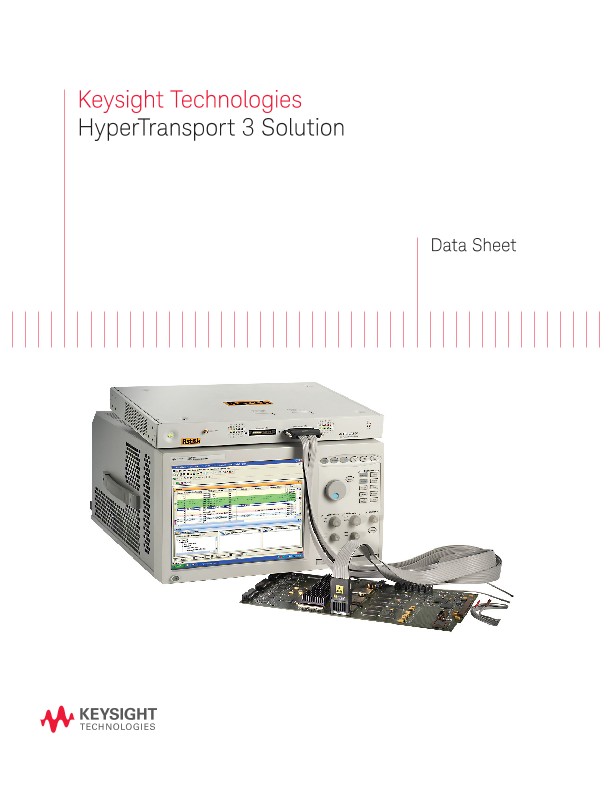
The HyperTransport analysis probes enable designers to debug, test, and verify compliance of 8 and 16 bit HyperTransport links. The analysis probe provides a mechanical, electrical and software interface between your 5.2 GT/s HyperTransport bus and a Keysight Technologies, Inc. logic analyzer. The probe provides quick and reliable connections to your system under test and has internal termination networks that minimize the effects of loading and reflections on your HyperTransport bus during probing. The protocol decode software decodes and displays incoming data on your logic analyzer to make it easy for you to debug your design problems.
Features
- Analysis of HyperTransport bus up to 5.2 GT/s. Scalable high speed integrity architecture
- Support configuration for 8 bit and 16 bit operation
- Full duplex mode (TX and RX) – DC coupled probe architecture with interposer probe for both single and dual lane measurement
- Non-intrusive probing of midbus using unique soft touch connectorless probing technology
- Logic analysis triggering and decoding of HyperTransport buses at the packet level with Packet Viewer software
- Triggering capability with raw 36-bit pattern matching and menu driven command triggering
- NOOP filtering with or without flow control
Complete system
Use a 16900 Series logic analyzer with the analysis probe in your development lab for design and functional validation of HyperTransport architectures. The analysis probe provides low-intrusion probing of the bus, packet analysis and packet triggering to help you pinpoint your problem areas quickly. The probe supports data scrambling and flexible lane widths so you can make sure your design is consistent with HyperTransport standards. The interposer and midbus probing option makes it easy for you to reliably connect to your device.
Soft Touch Twin footprint
Figure 3 below shows Keysight Soft Touch Twin footprint with today’s HT1 tools utilizing the Industry Standard Connectorless Probe and with Keysight’s HT3 tools of the future. If you want to design a midbus footprint into your system that will accommodate both today’s HT1 tools and Keysight’s HT3 tool, you should design in the “Soft Touch Twin” footprint.
There is one minor change to the Industry Standard Connectorless Probe footprint: pin A27 must be tied to GND in the Soft Touch Twin pinout, rather than to ID[0] as in the original Industry Standard pinout. In addition to this change, the other pinout requirement to make special note of is that the PWROK pair is routed to pins C12 and C13 in addition to pins B26 and B27 in the Industry Standard footprint. Finally, please note that positions C1 and C27 have no pads in the Soft Touch Twin footprint. A red font is used for these pads numbers and signal names in the tables below to highlight their unique handling in the Soft Touch Twin pinout for HT3. Note also that the differential signals in rows B and C are essentially “double probed.”
Interposer Probe
The high-speed signals along with DC level startup conditions have made it almost impossible to use typical AC coupled probe architectures (snooping probe) without significantly effecting the measurement. The Interposer probe is a DC coupled probe that acts as a “man-in-the middle” between the CPU and the downstream device and sends a buffered copy of the link data to the HT3 logic analysis probe for analysis. The end result is full eyes at probe and target since the signals are buffered and sent back out to the target and the probe.
The Interposer probe has configurations for both single lane (L1) and dual lane (L1L0) applications. The dual lane socket can be used in single lane mode (L1 or L0) if desired. The Interposer solution along with LAI can be ordered from Astek Corporation as a single unit. The table below gives the configurations allowed with the current HT3 LAI and Interposer probe system for various applications.
HyperTransport 3 Analysis Probe
The HyperTransport analysis probe is capable of probing at a serial data rate of 5.2 Gb/s – it’s the speed of standard HyperTransport 3 bus so you can be confident your bus works at HyperTransport 3 speeds. The probe monitors two directions of x8 and x16 links so you can accurately capture the packet of interest. The probe is designed to handle a single, unidirectional link or a bidirectional link.
Protocol decode software
The analysis probe, which includes protocol decode software for 16900 Series logic analyzers, acquires serial data, converts it to parallel form, recognizes and filters packets, and clocks the information into the analyzer. Data sent to the logic analyzer includes:
- Captured data
- Packet type and state information
- Packet recognizers and error indicators
This data is processed by the protocol decoder for display of packets, transactions and errors. You can view the packet decode data with the Packet Viewer tool. Although the probe hardware has the ability to filter and trigger, the software interface provides bits arranged to support the use of logic-analyzer-based trigger functions, even on packet-based data. The decoder detects packet types and checks packet delimiters (minimal protocol checking).
Packet Viewer software
Packet Viewer software is a powerful tool for easy analysis of protocol traffic. Packet viewer provides bidirectional information in a single display. Packet viewer allows packet-to-packet comparisons and detailed information on each lane, header format and payload.