What are you looking for?
N1010A FlexDCA Sampling Oscilloscope Software
N1010A FlexDCA Sampling Oscilloscope Software provides Oscilloscope, Eye/Mask, Jitter, and TDR measurement capabilities and is used to control compatible Keysight DCA instruments.
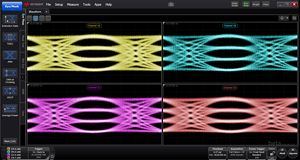

The FlexDCA installer includes the latest updates* for:
- FlexDCA software packages: N1010100A R&D, N1010200A MFG, and N1010300A SI
- FlexPLL for phase-locked loop measurements
- FlexRT for optical measurements on UXR-Series Oscilloscopes
- FlexOTO for optimization of optical measurements using DCA-M Series oscilloscopes
* Requires applicable software licenses with active support
NOTES ON PREVIOUS VERSIONS
- 86xxx/83xxx/54xxx-series DCA plug-in modules are supported in A.07.90 and lower
- 86100D mainframes are supported in A.07.61 and lower. See N1010A FlexDCA 86100D Support Notice and FAQ for detailed information.
- Windows 11 is supported in A.07.40 and above
- Windows 10 is supported in A.05.00 and above
- Windows 7 is supported in A.05.00 through A.07.61
- Windows XP is supported in A.04.54 and lower
- Compatibility mode is supported in A.06.81 and lower
- 32-bit and 64-bit installers are available for A.06.03 and lower (A.06.40 and higher support 64-bit operating systems only)
- 86100C connectivity is supported in A.05.80 and lower (86100C must be running firmware revision A.10.83)
| Data de lançamento | Versão | Descrição da Versão |
|---|---|---|
| 2026-06-10 | N1010A Version A.08.32.13 | Adds support for the Z1 update of the N1093. Fixes for TDECQ violation pixel display, JH4u results, and FlexOTO connection timeouts. |
| Data de lançamento | Versão |
|---|---|
| 2026-06-10 | N1010A Version A.08.32.13 |
| Version Description |
|---|
| Adds support for the Z1 update of the N1093. Fixes for TDECQ violation pixel display, JH4u results, and FlexOTO connection timeouts. |
Como Baixar
Click the download button and save the installation file to the target machine or to a location available to the target machine.
Como Instalar
- Close all open programs and applications
- Install latest Microsoft Windows updates
- Run the installation package, following all prompts and instructions
Licenciamento
- Does Not Require a License
Documentação de suporte
Installs on: PC / Instrument
Sistema Operacional
- Windows 11
- Windows 10
Pré-requisitos
- Always install the latest Microsoft Windows updates before installing a new version of software.
- To validate the installer file, check the SHA256 File Checksum: BA72E28F53F6C2543D6C27F9F5B4B160D590A6D4F965B5F6562630676CC5B242
See FlexDCA Installation Troubleshooting Guide for additional information:
Instrumentos Compatíveis
- N1000A, N1002A, N109xx, N107xx
Como Baixar
Click the download button and save the installation file to the target machine or to a location available to the target machine.
Como Instalar
- Close all open programs and applications
- Install latest Microsoft Windows updates
- Run the installation package, following all prompts and instructions
Licenciamento
- Does Not Require a License
Documentação de suporte
Installs on: PC / Instrument
Sistema Operacional
- Windows 11
- Windows 10
Pré-requisitos
- Always install the latest Microsoft Windows updates before installing a new version of software.
- To validate the installer file, check the SHA256 File Checksum: CFDBD536E3537A49ACB3339805F890A1C6CBA14ED37E14FBD55A5C8545926CCC
See FlexDCA Installation Troubleshooting Guide for additional information:
Instrumentos Compatíveis
- N1000A, N1002A, N109xx, N107xx
Como Baixar
Click the download button and save the installation file to the target machine or to a location available to the target machine.
Como Instalar
- Close all open programs and applications
- Install latest Microsoft Windows updates
- Run the installation package, following all prompts and instructions
Licenciamento
- Does Not Require a License
Documentação de suporte
Installs on: PC / Instrument
Sistema Operacional
- Windows 11
- Windows 10
Pré-requisitos
- Always install the latest Microsoft Windows updates before installing a new version of software.
- To validate the installer file, check the SHA256 File Checksum: B1C3DCE633B4823C45CD0BF25EA242CE3CCEA42713409B639C4CC3ABF6DC0C00
See FlexDCA Installation Troubleshooting Guide for additional information:
Instrumentos Compatíveis
- N1000A, N1002A, N109xx, N107xx
Como Baixar
Click the download button and save the installation file to the target machine or to a location available to the target machine.
Como Instalar
- Close all open programs and applications
- Install latest Microsoft Windows updates
- Run the installation package, following all prompts and instructions
Licenciamento
- Does Not Require a License
Documentação de suporte
Installs on: PC / Instrument
Sistema Operacional
- Windows 11
- Windows 10
Pré-requisitos
- Always install the latest Microsoft Windows updates before installing a new version of software.
- To validate the installer file, check the SHA256 File Checksum: AC7654A01DE2949D9F28E1DA9842D0480E4FA71733573154BE0CCD4BA3E30E5C
- See FlexDCA Installation Troubleshooting Guide for additional information:
Instrumentos Compatíveis
- N1000A, N1002A, N109xx, N107xx
Como Baixar
Click the download button and save the installation file to the target machine or to a location available to the target machine.
Como Instalar
- Close all open programs and applications
- Install latest Microsoft Windows updates
- Run the installation package, following all prompts and instructions
Licenciamento
- Does Not Require a License
Documentação de suporte
Installs on: PC / Instrument
Sistema Operacional
- Windows 11
- Windows 10
- Windows 7 64-bit
Pré-requisitos
- Always install the latest Microsoft Windows updates before installing a new version of software.
- To validate the installer file, check the SHA256 File Checksum: F66F3937D03642DF8B3224FA09EB83149A12B07981907A6FC09313463E049A25
- For Windows 7 PCs and 86100D instruments, manual installation of the DigiCert Trusted Root G4 Certificate and the Sectigo SHA-2 Root USERTrust RSA Certificate is required.
- .Net requires updated certificates to install. With a LAN connection, this certificate will update automatically during installation.
See FlexDCA Installation Troubleshooting Guide for additional information:
Instrumentos Compatíveis
- N1000A, 86100D, N1002A, N109xx, N107xx
Como Baixar
Click the download button and save the installation file to the target machine or to a location available to the target machine.
Como Instalar
- Close all open programs and applications
- Install latest Microsoft Windows updates
- Run the installation package, following all prompts and instructions
Licenciamento
- Does Not Require a License
Documentação de suporte
Installs on: PC / Instrument
Sistema Operacional
- Windows 11
- Windows 10
- Windows 7 64-bit
Pré-requisitos
- Always install the latest Microsoft Windows updates before installing a new version of software.
- To validate the installer file, check the SHA256 File Checksum: 656C5607BCA94F3BF5DD94E325FC7D153C1555892836DCF87DA86853B98BA13B
- For Windows 7 PCs and 86100D instruments, manual installation of the DigiCert Trusted Root G4 Certificate and the Sectigo SHA-2 Root USERTrust RSA Certificate is required.
- .Net requires updated certificates to install. With a LAN connection, this certificate will update automatically during installation.
See FlexDCA Installation Troubleshooting Guide for additional information:
Instrumentos Compatíveis
- N1000A, 86100D, N1002A, N109xx, N107xx
Como Baixar
Click the download button and save the installation file to the target machine or to a location available to the target machine.
Como Instalar
- Close all open programs and applications
- Install latest Microsoft Windows updates
- Run the installation package, following all prompts and instructions
Licenciamento
- Does Not Require a License
Documentação de suporte
Installs on: PC / Instrument
Sistema Operacional
- Windows 11
- Windows 10
- Windows 7 64-bit
Pré-requisitos
- Always install the latest Microsoft Windows updates before installing a new version of software.
- To validate the installer file, check the SHA256 File Checksum: EC922AC98F921434E4DB28657BBFF2A986A0A9E9A74481A3280052A08FBC7463
- For Windows 7 PCs and 86100D instruments, manual installation of the DigiCert Trusted Root G4 Certificate and the Sectigo SHA-2 Root USERTrust RSA Certificate is required.
- .Net requires updated certificates to install. With a LAN connection, this certificate will update automatically during installation.
See FlexDCA Installation Troubleshooting Guide for additional information:
Instrumentos Compatíveis
- N1000A, 86100D, N1002A, N109xx, N107xx
Como Baixar
Click the download button and save the installation file to the target machine or to a location available to the target machine.
Como Instalar
- Close all open programs and applications
- Install latest Microsoft Windows updates
- Run the installation package, following all prompts and instructions
Licenciamento
- Does Not Require a License
Documentação de suporte
Installs on: PC / Instrument
Sistema Operacional
- Windows 11
- Windows 10
- Windows 7 64-bit
Pré-requisitos
- Always install the latest Microsoft Windows updates before installing a new version of software.
- To validate the installer file, check the SHA256 File Checksum: 8B383ABDF2A853D9746371715CB3896BCFDA86EF997D3B4923412FB23333C552
- For Windows 7 PCs and 86100D instruments, manual installation of the DigiCert Trusted Root G4 Certificate and the Sectigo SHA-2 Root USERTrust RSA Certificate is required.
- .Net requires updated certificates to install. With a LAN connection, this certificate will update automatically during installation.
See FlexDCA Installation Troubleshooting Guide for additional information:
Instrumentos Compatíveis
- N1000A, 86100D, N1002A, N109xx, N107xx
Como Baixar
Click the download button and save the installation file to the target machine or to a location available to the target machine.
Como Instalar
- Close all open programs and applications
- Install latest Microsoft Windows updates
- Run the installation package, following all prompts and instructions
Licenciamento
- Does Not Require a License
Documentação de suporte
Installs on: PC / Instrument
Sistema Operacional
- Windows 11
- Windows 10
- Windows 7 64-bit
Pré-requisitos
- Always install the latest Microsoft Windows updates before installing a new version of software.
- To validate the installer file, check the SHA256 File Checksum: 04545F49606318273278588DC31C8982A896254EC56A29829781EC48E2350C1B
- For Windows 7 PCs and 86100D instruments, manual installation of the DigiCert Trusted Root G4 Certificate and the Sectigo SHA-2 Root USERTrust RSA Certificate is required.
- .Net requires updated certificates to install. With a LAN connection, this certificate will update automatically during installation.
See FlexDCA Installation Troubleshooting Guide for additional information:
Instrumentos Compatíveis
- N1000A, 86100D, N1002A, N109xx, N107xx
Como Baixar
Click the download button and save the upgrade file to a USB flash drive, LAN folder that will be available to the target machine, or directly to the target machine.
SHA256
8F33E42B0A89E42932280B0F37AAD57907F57258B2BF1309F168A9257628DC78
Como Instalar
- Close all open programs and applications
- Install latest Microsoft Windows updates
- Run the installation package, following all prompts and instructions
Licenciamento
- Does Not Require a License
Documentação de suporte
Installs on: PC / Instrument
Sistema Operacional
- Windows 10 64-bit
- Windows 7 64-bit
Pré-requisitos
- For Windows 7 PCs and
86100D instruments, manual installation of the DigiCert Trusted Root G4
Certificate is required. See ‘TN FlexDCA Installation Troubleshooting Guide’
for additional information.
- Important! Install latest Microsoft Windows updates before installing this revision.
- .Net requires updated certificates or it will not install. Alternatively, the target machine can be connected to a LAN with internet access so the certificate can be downloaded during the installation of FlexDCA.
Instrumentos Compatíveis
- N1000A, 86100D, N109xx, N107xx
Como Baixar
Click the download button and save the upgrade file to a USB flash drive, LAN folder that will be available to the target machine, or directly to the target machine.
SHA256
06D9C5B3CCCC43D73FD7FBB750742212E24CC5F3DD8BD390E2B6031C129C9CBB
Como Instalar
- Close all open programs and applications
- Install latest Microsoft Windows updates
- Run the installation package, following all prompts and instructions
Licenciamento
- Does Not Require a License
Documentação de suporte
Installs on: PC / Instrument
Sistema Operacional
- Windows 10 64-bit
- Windows 7 64-bit
Pré-requisitos
- For Windows 7 PCs and
86100D instruments, manual installation of the DigiCert Trusted Root G4
Certificate is required. See ‘TN FlexDCA Installation Troubleshooting Guide’
for additional information.
- Important! Install latest Microsoft Windows updates before installing this revision.
- .Net requires updated certificates or it will not install. Alternatively, the target machine can be connected to a LAN with internet access so the certificate can be downloaded during the installation of FlexDCA.
Instrumentos Compatíveis
- N1000A, 86100D, N109xx, N107xx
Como Baixar
Click the download button and save the upgrade file to a USB flash drive, LAN folder that will be available to the target machine, or directly to the target machine.
Como Instalar
- Close all open programs and applications
- Install latest Microsoft Windows updates
- Run the installation package, following all prompts and instructions
Licenciamento
- Does Not Require a License
Documentação de suporte
Installs on: PC / Instrument
Sistema Operacional
- Windows 10 64-bit
- Windows 7 64-bit
Pré-requisitos
- For Windows 7 PCs and
86100D instruments, manual installation of the DigiCert Trusted Root G4
Certificate is required. See ‘TN FlexDCA Installation Troubleshooting Guide’
for additional information.
- Important! Install latest Microsoft Windows updates before installing this revision.
- .Net requires updated certificates or it will not install. Alternatively, the target machine can be connected to a LAN with internet access so the certificate can be downloaded during the installation of FlexDCA.
Instrumentos Compatíveis
- N1000A, 86100D, N109xx, N107xx
Como Baixar
Click the download button and save the upgrade file to a USB flash drive, LAN folder that will be available to the target machine, or directly to the target machine.
Como Instalar
- Close all open programs and applications
- Install latest Microsoft Windows updates
- Run the installation package, following all prompts and instructions
Licenciamento
- Does Not Require a License
Documentação de suporte
Installs on: PC / Instrument
Sistema Operacional
- Windows 10 64-bit
- Windows 7 64-bit
Pré-requisitos
- For Windows 7 PCs and
86100D instruments, manual installation of the DigiCert Trusted Root G4
Certificate is required. See ‘TN FlexDCA Installation Troubleshooting Guide’
for additional information.
- Important! Install latest Microsoft Windows updates before installing this revision.
- .Net requires updated certificates or it will not install. Alternatively, the target machine can be connected to a LAN with internet access so the certificate can be downloaded during the installation of FlexDCA.
Instrumentos Compatíveis
- N1000A, 86100D, N109xx, N107xx
Como Baixar
Click the download button and save the upgrade file to a USB flash drive, LAN folder that will be available to the target machine, or directly to the target machine.
Como Instalar
- Close all open programs and applications
- Install latest Microsoft Windows updates
- Run the installation package, following all prompts and instructions
Licenciamento
- Does Not Require a License
Documentação de suporte
Installs on: PC / Instrument
Sistema Operacional
- Windows 10 64-bit
- Windows 7 64-bit
Pré-requisitos
Important! Install latest Microsoft Windows updates before installing this revision.
.Net requires updated certificates or it will not install. Alternatively, the target machine can be connected to a LAN with internet access so the certificate can be downloaded during the installation of FlexDCA.
Instrumentos Compatíveis
- N1000A, 86100D, N109xx, N107xx
Como Baixar
Click the download button and save the upgrade file to a USB flash drive, LAN folder that will be available to the target machine, or directly to the target machine.
Como Instalar
- Close all open programs and applications
- Install latest Microsoft Windows updates
- Run the installation package, following all prompts and instructions
Licenciamento
- Does Not Require a License
Documentação de suporte
Installs on: PC / Instrument
Sistema Operacional
- Windows 10 64-bit
- Windows 7 64-bit
Pré-requisitos
Important! Install latest Microsoft Windows updates before installing this revision.
.Net requires updated certificates or it will not install. Alternatively, the target machine can be connected to a LAN with internet access so the certificate can be downloaded during the installation of FlexDCA.
Instrumentos Compatíveis
- N1000A, 86100D, N109xx, N107xx
Como Baixar
Click the download button and save the upgrade file to a USB flash drive, LAN folder that will be available to the target machine, or directly to the target machine.
Como Instalar
- Close all open programs and applications
- Install latest Microsoft Windows updates
- Run the installation package, following all prompts and instructions
Licenciamento
- Does Not Require a License
Documentação de suporte
Installs on: PC / Instrument
Sistema Operacional
- Windows 10 64-bit
- Windows 7 64-bit
Pré-requisitos
Important! Install latest Microsoft Windows updates before installing this revision.
.Net requires updated certificates or it will not install. Alternatively, the target machine can be connected to a LAN with internet access so the certificate can be downloaded during the installation of FlexDCA.
Instrumentos Compatíveis
- N1000A, 86100D, N109xx, N107xx
Como Baixar
Click the download button and save the upgrade file to a USB flash drive, LAN folder that will be available to the target machine, or directly to the target machine.
Como Instalar
- Close all open programs and applications
- Install latest Microsoft Windows updates
- Run the installation package, following all prompts and instructions
Licenciamento
- Does Not Require a License
Documentação de suporte
Installs on: PC / Instrument
Sistema Operacional
- Windows 10
- Windows 7 64-bit
Pré-requisitos
Important! Install latest Microsoft Windows updates before installing this revision.
.Net requires updated certificates or it will not install. Alternatively, the target machine can be connected to a LAN with internet access so the certificate can be downloaded during the installation of FlexDCA.
Instrumentos Compatíveis
- N1000A, 86100D, N109xx, N107xx
Como Baixar
Click the download button and save the upgrade file to a USB flash drive, LAN folder that will be available to the target machine, or directly to the target machine.
Como Instalar
- Close all open programs and applications
- Install latest Microsoft Windows updates
- Run the installation package, following all prompts and instructions
Licenciamento
- Does Not Require a License
Documentação de suporte
Installs on: PC / Instrument
Sistema Operacional
- Windows 10
- Windows 7 64-bit
Pré-requisitos
Important! Install latest Microsoft Windows updates before installing this revision.
.Net requires updated certificates or it will not install. Alternatively, the target machine can be connected to a LAN with internet access so the certificate can be downloaded during the installation of FlexDCA.
Instrumentos Compatíveis
- N1000A 86100D N109xx N107xx
Como Baixar
Click the download button and save the upgrade file to a USB flash drive, LAN folder that will be available to the target machine, or directly to the target machine.
Como Instalar
- Close all open programs and applications
- Install latest Microsoft Windows updates
-
Run the installation package, following all prompts and instructions
Licenciamento
- Does Not Require a License
Documentação de suporte
Installs on: PC / Instrument
Sistema Operacional
- Windows 10
- Windows 7 64-bit
Pré-requisitos
Important! Install latest Microsoft Windows updates before installing this revision.
.Net requires updated certificates or it will not install. Alternatively, the target machine can be connected to a LAN with internet access so the certificate can be downloaded during the installation of FlexDCA.
Instrumentos Compatíveis
- N1000A 86100D N109xx N107xx
Como Baixar
Click the download button and save the upgrade file to a USB flash drive, LAN folder that will be available to the target machine, or directly to the target machine.
Como Instalar
- Close all open programs and applications
- Install latest Microsoft Windows updates
- Run the installation package, following all prompts and instructions
Licenciamento
- Does Not Require a License
Documentação de suporte
Installs on: PC / Instrument
Sistema Operacional
- Windows 10
- Windows 7 64-bit
Pré-requisitos
Important! Install latest Microsoft Windows updates before installing this revision.
.Net requires updated certificates or it will not install. Alternatively, the target machine can be connected to a LAN with internet access so the certificate can be downloaded during the installation of FlexDCA.
Instrumentos Compatíveis
- N1000A 86100D N109xx N107xx
Como Baixar
Click the download button and save the upgrade file to a USB flash drive, LAN folder that will be available to the target machine, or directly to the target machine.
Como Instalar
- Close all open programs and applications
- Install latest Microsoft Windows updates
- Run the installation package, following all prompts and instructions
Licenciamento
- Does Not Require a License
Documentação de suporte
Installs on: PC / Instrument
Sistema Operacional
- Windows 10
- Windows 7 64-bit
Pré-requisitos
Important! Install latest Microsoft Windows updates before installing this revision.
.Net requires updated certificates or it will not install. Alternatively, the target machine can be connected to a LAN with internet access so the certificate can be downloaded during the installation of FlexDCA.
Instrumentos Compatíveis
- N1000A 86100D N109xx N107xx
Como Baixar
Click the download button and save the appropriate upgrade file (32-bit or 64-bit) to a USB flash drive, LAN folder that will be available to the target machine, or directly to the target machine.
Como Instalar
- Close all open programs and applications
- Install latest Microsoft Windows updates
- Run the installation package, following all prompts and instructions
Licenciamento
- Does Not Require a License
Documentação de suporte
Installs on: PC / Instrument
Sistema Operacional
- Windows 10
- Windows 7 64-bit
- Windows 7 32-bit
- NOTE: FlexDCA versions released July 2019 or later will no longer support 32-bit operating systems
Pré-requisitos
Important! Install latest Microsoft Windows updates before installing this revision.
.Net requires updated certificates or it will not install. Alternatively, the target machine can be connected to a LAN with internet access so the certificate can be downloaded during the installation of FlexDCA.
Instrumentos Compatíveis
- N1000A 86100D N1090A N1092A/B/C/D/E N1094A/B N1076A/B N1077A N1078A
Como Baixar
Click the download button and save the upgrade file to a USB flash drive or LAN folder that will be available to the target machine.
Como Instalar
Close all open programs and applications.
Run the installation package, following all instructions to install your new firmware version.
Licenciamento
- Does Not Require a License
Documentação de suporte
Installs on: PC / Instrument
Sistema Operacional
- Windows 10
- Windows 7 64-bit
- Windows 7 32-bit
Pré-requisitos
Important! Install latest Microsoft Windows updates before installing this revision.
.Net requires updated certificates or it will not install. Alternatively, the target machine can be connected to a LAN with internet access so the certificate can be downloaded during the installation of FlexDCA.
Instrumentos Compatíveis
- 86100D N1090A N1092A/B/C/D/E N1094A/B N1076A/B N1077A N1078A
Como Baixar
Click the download button and save the upgrade file to a USB flash drive or LAN folder that will be available to the target machine.
Como Instalar
Close all open programs and applications.
Run the installation package, following all instructions to install your new firmware version.
Licenciamento
- Does Not Require a License
Documentação de suporte
Installs on: PC / Instrument
Sistema Operacional
- Windows 10
- Windows 7 64-bit
- Windows 7 32-bit
Pré-requisitos
- Information Not Available
Instrumentos Compatíveis
- 86100D 86100C N1092A/B/C/D/E N1090A N1076A 7N1078A
Como Baixar
Click the download button and save the upgrade file to a USB flash drive or LAN folder that will be available to the target machine.
Como Instalar
Close all open programs and applications.
Run the installation package, following all instructions to install your new firmware version.
Licenciamento
- Does Not Require a License
Documentação de suporte
Installs on: PC / Instrument
Sistema Operacional
- Windows 7 32-bit
- Windows 8 64-bit
- Windows 10
Pré-requisitos
- Information Not Available
Instrumentos Compatíveis
- 86100D N1090A N1092x N1094x N1076A N1077A
Como Baixar
Click the download button and save the upgrade file to a USB flash drive or LAN folder that will be available to the target machine.
Como Instalar
Close all open programs and applications.
Run the installation package, following all instructions to install your new firmware version.
Licenciamento
- Does Not Require a License
Documentação de suporte
Installs on: PC / Instrument
Sistema Operacional
- Windows 8
- Windows 7
- Windows 10
Pré-requisitos
Install latest Microsoft Windows updates before installing this revision.
Instrumentos Compatíveis
- 86100D N1090A N1092x N1094x N1076A N1077A
Como Baixar
Click the download button and save the upgrade file to a USB flash drive or LAN folder that will be available to the target machine.
Como Instalar
Close all open programs and applications.
Run the installation package, following all instructions to install your new firmware version.
Licenciamento
- Does Not Require a License
Documentação de suporte
Installs on: PC / Instrument
Sistema Operacional
- Windows 8
- Windows 7
- Windows 10
Pré-requisitos
Install all Windows updates prior to installing this upgrade.
Instrumentos Compatíveis
- 86100D, N1090A, N1092x, N1076A, N1077A
Como Baixar
Click the download button and save the upgrade file to a USB flash drive or LAN folder that will be available to the target machine.
Como Instalar
Close all open programs and applications.
Run the installation package, following all instructions to install your new firmware version.
Licenciamento
- Does Not Require a License
Documentação de suporte
Installs on: PC / Instrument
Sistema Operacional
- Windows 8
- Windows 7
- Windows 10
Pré-requisitos
Install all Microsoft Windows updates before installing this firmware.
Instrumentos Compatíveis
- 86100D, 86100C, N1090A, N4877A, N1092A/B/D
Como Baixar
- Click the download button and save the upgrade file to a USB flash drive or LAN folder that will be available to the target machine.
Como Instalar
- Close all open programs and applications.
- Run the installation package, following all instructions to install your new firmware version.
Licenciamento
- Does Not Require a License
Installs on: PC / Instrument
Sistema Operacional
- Windows 8
- Windows 7
Pré-requisitos
- Install all Microsoft Windows updates before installing this firmware.
Instrumentos Compatíveis
- 86100D 86100C N1090A
Como Baixar
- Click the download button and save the upgrade file to a USB flash drive or LAN folder that will be available to the target machine.
Como Instalar
- Close all open applications.
-
Run the installation package, following all instructions to install your new firmware version.
Licenciamento
- Does Not Require a License
Installs on: PC / Instrument
Sistema Operacional
- Windows 7 64-bit
- Windows 8 64-bit
- Windows Vista 64-bit
Pré-requisitos
- None
Instrumentos Compatíveis
- 86100D N1090A
Como Baixar
- Click the download button and save the upgrade file to a USB flash drive or LAN folder that will be available to the target machine.
- For best results on the 86100D mainframe, use the rear panel USB ports.
Como Instalar
- Close all open applications.
- Run the installation package, following all instructions to install your new firmware version.
Licenciamento
- Does Not Require a License
Documentação de suporte
Installs on: PC / Instrument
Sistema Operacional
- Windows XP SP3
Pré-requisitos
- Information Not Available
Instrumentos Compatíveis
- 86100D
Como Baixar
Download the firmware upgrade file to the target PC or to a USB flash drive or LAN folder that will be available to the target PC.
Como Instalar
Run installation package on the target PC , following all instructions to install your new firmware version.
Licenciamento
- Does Not Require a License
Installs on: PC / Instrument
Sistema Operacional
- Windows 8
- Windows 7
- Windows Vista
Pré-requisitos
64-bit Windows OS as noted above
Instrumentos Compatíveis
- 86100C, 86100D
Como Baixar
Download the firmware upgrade file to the target PC or to a USB flash drive or LAN folder that will be available to the target PC.
Como Instalar
Run installation package on the target PC , following all instructions to install your new firmware version.
Licenciamento
- Does Not Require a License
Installs on: PC / Instrument
Sistema Operacional
- Windows 7
- Windows XP SP3
Pré-requisitos
None
Instrumentos Compatíveis
- 86100C 86100D
Como Baixar
Download the firmware uprade file to the target PC or to a USB flash drive or LAN folder that will be available to the target PC.
Como Instalar
Run the installation package on the target PC and run the installation package, following all instructions to install your new firmware version.
Licenciamento
- Does Not Require a License
Documentação de suporte
Installs on: PC / Instrument
Sistema Operacional
- Windows 7
- Windows XP SP3
Pré-requisitos
None
Instrumentos Compatíveis
- 86100C, 86100D
Como Baixar
Copy the firmware uprade file to a USB flash drive or LAN folder that will be available to the target PC.
Como Instalar
Copy the upgrade file to the target PC and run the installation package, following all instructions to install your new firmware version.
Licenciamento
- Does Not Require a License
Documentação de suporte
Installs on: PC / Instrument
Sistema Operacional
- Windows 7
- Windows XP SP3
Pré-requisitos
86100C or 86100D mainframe running the latest version of firmware.
Instrumentos Compatíveis
- 86100C, 86100D
Como Baixar
Click the 'Download' button and save or transfer the installation file to target PC.
Como Instalar
Run the executable installation file and follow all instructions to install on the target PC
Licenciamento
- Does Not Require a License
Documentação de suporte
Installs on: PC / Instrument
Sistema Operacional
- Windows 7
- Windows XP SP3
Pré-requisitos
None
Instrumentos Compatíveis
- PC
Como Baixar
See Above
Como Instalar
See Above
Licenciamento
- Does Not Require a License
Installs on: PC / Instrument
Sistema Operacional
- Windows 7
- Windows XP SP3
Pré-requisitos
- Information Not Available
Instrumentos Compatíveis
- N1010A
Como Baixar
- Information Not Available
Como Instalar
Licenciamento
- Does Not Require a License
Documentação de suporte
Installs on: PC / Instrument
Sistema Operacional
- Windows 7
- Windows XP
Pré-requisitos
See Above
Instrumentos Compatíveis
- 86100C, 86100D
Links relacionados
Como Baixar
- Information Not Available
Como Instalar
Licenciamento
- Does Not Require a License
Documentação de suporte
Installs on: PC / Instrument
Sistema Operacional
- Windows 7
- Windows Vista
- Windows XP
Pré-requisitos
- See Above
Instrumentos Compatíveis
- 86100C DCA J and 86100D DCA X oscilloscopes
Links relacionados
Como Baixar
- Information Not Available
Como Instalar
Licenciamento
- Does Not Require a License
Installs on: PC / Instrument
Sistema Operacional
- Windows 7
- Windows Vista
- Windows XP
Pré-requisitos
- See Above
Instrumentos Compatíveis
- 86100C DCA J and 86100D DCA X oscilloscopes
Links relacionados
Como Baixar
- Information Not Available
Como Instalar
See Above
Licenciamento
- Does Not Require a License
Installs on: PC / Instrument
Sistema Operacional
- Windows 7
- Windows Vista
- Windows XP
Pré-requisitos
See Above
Instrumentos Compatíveis
- 86100C, 86100D
Links relacionados
Como Baixar
- Information Not Available
Como Instalar
Licenciamento
- Does Not Require a License
Installs on: PC / Instrument
Sistema Operacional
- Windows 7
- Windows Vista
- Windows XP
Pré-requisitos
- Information Not Available
Links relacionados
Como Baixar
- Information Not Available
Como Instalar
Licenciamento
- Does Not Require a License
Installs on: PC / Instrument
Sistema Operacional
- Windows 7
- Windows Vista
- Windows XP
Pré-requisitos
- See Above
Instrumentos Compatíveis
- 86100C DCA J and 86100D DCA X oscilloscopes
Links relacionados
Como Baixar
- Information Not Available
Como Instalar
Licenciamento
- Does Not Require a License
Installs on: PC / Instrument
Sistema Operacional
- Windows 7
- Windows Vista
- Windows XP
Pré-requisitos
- Information Not Available