What are you looking for?
[E5063A Sample Program] Save Trace Data Macro
Overview
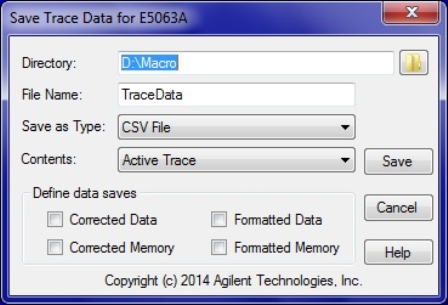
This sample program enables the E5063A ENA user to save the multiple channel/trace data with various formats. This is an executable file and the source code is not disclosed.
Revision Number
Rev.01.01
Supported functions
Data save as Active trace only, Active channel all traces, Displayed channel and all traces
CSV, MATLAB, and CITI format saving
Corrected or formatted data and memory saving
How to register and execute this macro
- Registering the macro
1. Copy the download file to your ENA.
2. Press [Macro Setup] on the ENA front panel and select Macro Setup ….
3. In the Macro Title box, type a descriptive title for the macro.
4. Click Browse, and select the download file.
5. Click OK.
- Executing the macro
1. Press [Macro Menu].
2. Select the name of this macro, then press [Enter].
| Macro Image |
 |