Learn More
segmentation:business-unit/CSG,segmentation:campaign/Network_Test,segmentation:product-category/Network_Security_Traffic_Emulators,segmentation:product-category/Network_Security_Traffic_Emulators/Protocol_Layer_2_3_Simulators,segmentation:funnel/bofu,keysight:product-lines/ns,keysight:dtx/solutions/facets/development-area/networks,keysight:dtx/solutions/facets/design-and-test-product/network-emulator,keysight:dtx/solutions/facets/workflow-stage/qa,keysight:dtx/solutions/facets/industry/wireline-communications,keysight:models/94/941-0086segmentation:business-unit/CSG,segmentation:campaign/Network_Test,segmentation:product-category/Network_Security_Traffic_Emulators,segmentation:product-category/Network_Security_Traffic_Emulators/Protocol_Layer_2_3_Simulators,segmentation:funnel/bofu,keysight:product-lines/ns,keysight:dtx/solutions/facets/development-area/networks,keysight:dtx/solutions/facets/design-and-test-product/network-emulator,keysight:dtx/solutions/facets/workflow-stage/qa,keysight:dtx/solutions/facets/industry/wireline-communications,keysight:models/94/941-0086segmentation:business-unit/CSG,segmentation:campaign/Network_Test,segmentation:product-category/Network_Security_Traffic_Emulators,segmentation:product-category/Network_Security_Traffic_Emulators/Protocol_Layer_2_3_Simulators,segmentation:funnel/bofu,keysight:product-lines/ns,keysight:dtx/solutions/facets/development-area/networks,keysight:dtx/solutions/facets/design-and-test-product/network-emulator,keysight:dtx/solutions/facets/workflow-stage/qa,keysight:dtx/solutions/facets/industry/wireline-communications,keysight:models/94/941-0086segmentation:business-unit/CSG,segmentation:campaign/Network_Test,segmentation:product-category/Network_Security_Traffic_Emulators,segmentation:product-category/Network_Security_Traffic_Emulators/Protocol_Layer_2_3_Simulators,segmentation:funnel/bofu,keysight:product-lines/ns,keysight:dtx/solutions/facets/development-area/networks,keysight:dtx/solutions/facets/design-and-test-product/network-emulator,keysight:dtx/solutions/facets/workflow-stage/qa,keysight:dtx/solutions/facets/industry/wireline-communications,keysight:models/94/941-0086segmentation:business-unit/CSG,segmentation:campaign/Network_Test,segmentation:product-category/Network_Security_Traffic_Emulators,segmentation:product-category/Network_Security_Traffic_Emulators/Protocol_Layer_2_3_Simulators,segmentation:funnel/bofu,keysight:product-lines/ns,keysight:dtx/solutions/facets/development-area/networks,keysight:dtx/solutions/facets/design-and-test-product/network-emulator,keysight:dtx/solutions/facets/workflow-stage/qa,keysight:dtx/solutions/facets/industry/wireline-communications,keysight:models/94/941-0086segmentation:business-unit/CSG,segmentation:campaign/Network_Test,segmentation:product-category/Network_Security_Traffic_Emulators,segmentation:product-category/Network_Security_Traffic_Emulators/Protocol_Layer_2_3_Simulators,segmentation:funnel/bofu,keysight:product-lines/ns,keysight:dtx/solutions/facets/development-area/networks,keysight:dtx/solutions/facets/design-and-test-product/network-emulator,keysight:dtx/solutions/facets/workflow-stage/qa,keysight:dtx/solutions/facets/industry/wireline-communications,keysight:models/94/941-0086segmentation:business-unit/CSG,segmentation:campaign/Network_Test,segmentation:product-category/Network_Security_Traffic_Emulators,segmentation:product-category/Network_Security_Traffic_Emulators/Protocol_Layer_2_3_Simulators,segmentation:funnel/bofu,keysight:product-lines/ns,keysight:dtx/solutions/facets/development-area/networks,keysight:dtx/solutions/facets/design-and-test-product/network-emulator,keysight:dtx/solutions/facets/workflow-stage/qa,keysight:dtx/solutions/facets/industry/wireline-communications,keysight:models/94/941-0086segmentation:business-unit/CSG,segmentation:campaign/Network_Test,segmentation:product-category/Network_Security_Traffic_Emulators,segmentation:product-category/Network_Security_Traffic_Emulators/Protocol_Layer_2_3_Simulators,segmentation:funnel/bofu,keysight:product-lines/ns,keysight:dtx/solutions/facets/development-area/networks,keysight:dtx/solutions/facets/design-and-test-product/network-emulator,keysight:dtx/solutions/facets/workflow-stage/qa,keysight:dtx/solutions/facets/industry/wireline-communications,keysight:models/94/941-0086segmentation:business-unit/CSG,segmentation:campaign/Network_Test,segmentation:product-category/Network_Security_Traffic_Emulators,segmentation:product-category/Network_Security_Traffic_Emulators/Protocol_Layer_2_3_Simulators,segmentation:funnel/bofu,keysight:product-lines/ns,keysight:dtx/solutions/facets/development-area/networks,keysight:dtx/solutions/facets/design-and-test-product/network-emulator,keysight:dtx/solutions/facets/workflow-stage/qa,keysight:dtx/solutions/facets/industry/wireline-communications,keysight:models/94/941-0086segmentation:business-unit/CSG,segmentation:campaign/Network_Test,segmentation:product-category/Network_Security_Traffic_Emulators,segmentation:product-category/Network_Security_Traffic_Emulators/Protocol_Layer_2_3_Simulators,segmentation:funnel/bofu,keysight:product-lines/ns,keysight:dtx/solutions/facets/development-area/networks,keysight:dtx/solutions/facets/design-and-test-product/network-emulator,keysight:dtx/solutions/facets/workflow-stage/qa,keysight:dtx/solutions/facets/industry/wireline-communications,keysight:models/94/941-0086segmentation:business-unit/CSG,segmentation:campaign/Network_Test,segmentation:product-category/Network_Security_Traffic_Emulators,segmentation:product-category/Network_Security_Traffic_Emulators/Protocol_Layer_2_3_Simulators,segmentation:funnel/bofu,keysight:product-lines/ns,keysight:dtx/solutions/facets/development-area/networks,keysight:dtx/solutions/facets/design-and-test-product/network-emulator,keysight:dtx/solutions/facets/workflow-stage/qa,keysight:dtx/solutions/facets/industry/wireline-communications,keysight:models/94/941-0086
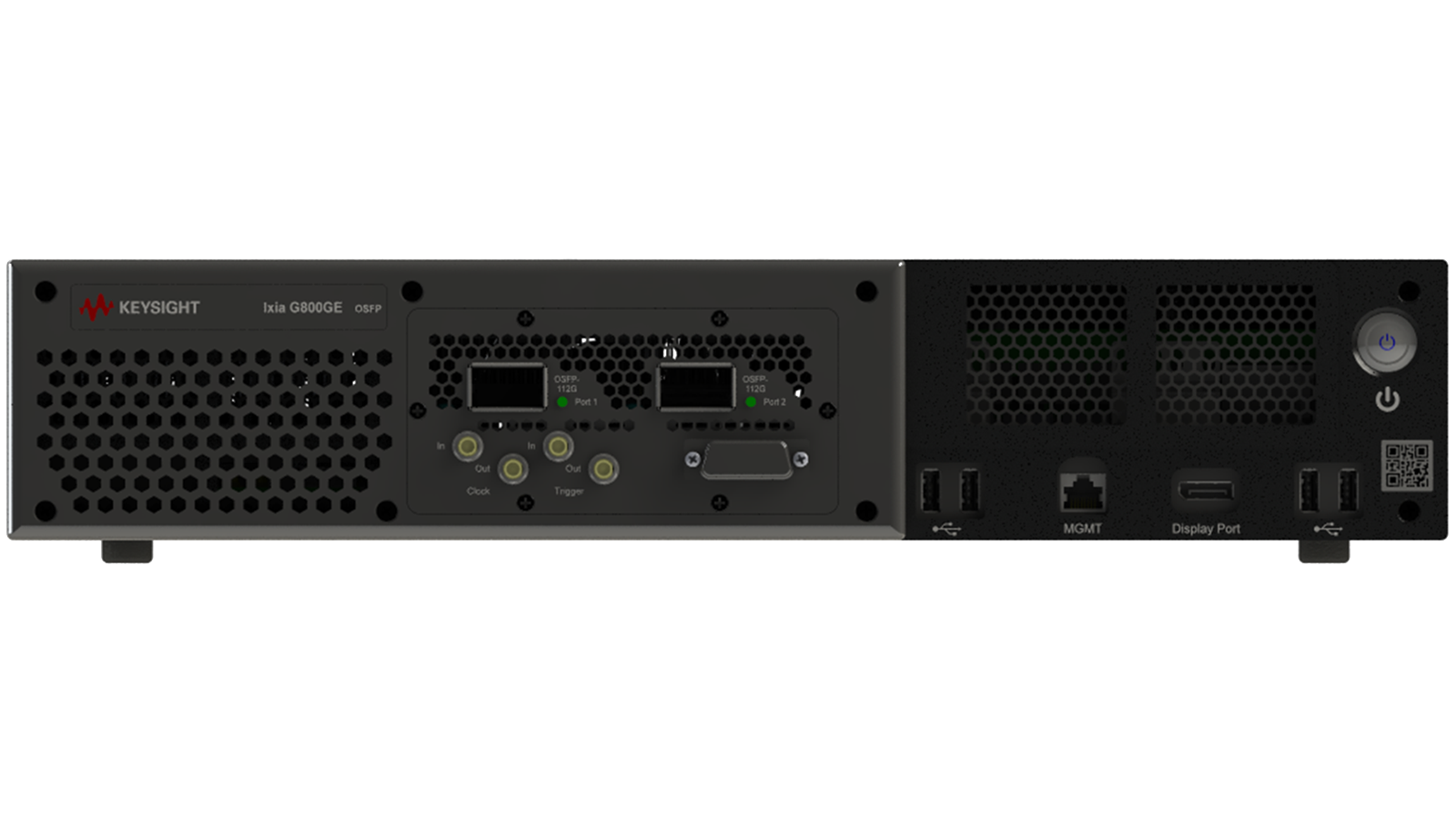
How to Stress Test Ethernet Interconnects
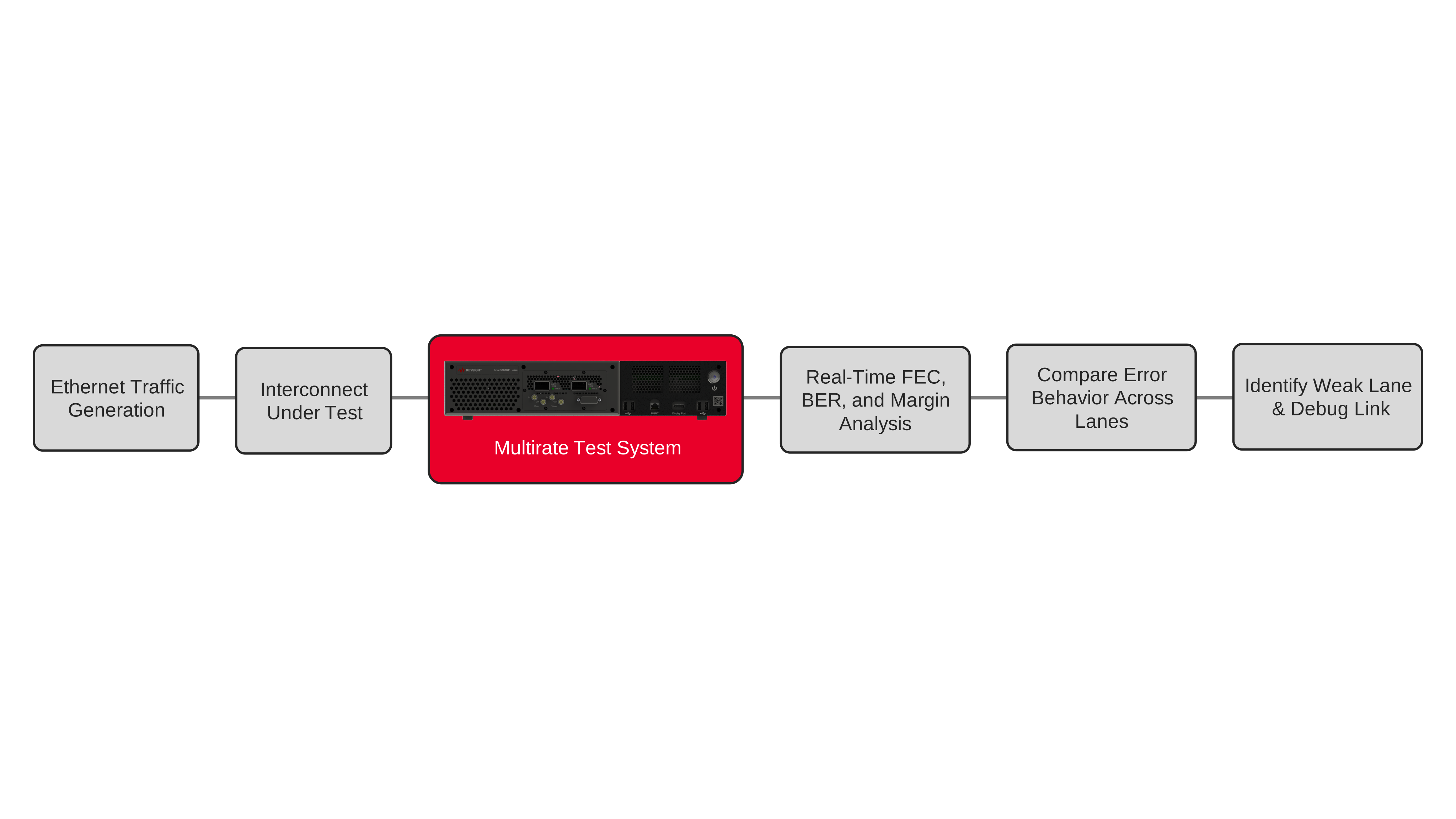
Validate Ethernet Layer 1 links using BER, FEC, and stress-test measurements to detect bursty errors over time.
Learn More