What are you looking for?
Automated Test Case Creation That Works Without the Scripts
Keysight Eggplant's AI test case generation builds and runs your test cases from a model of your application, so you get complete coverage without writing or maintaining a single script.

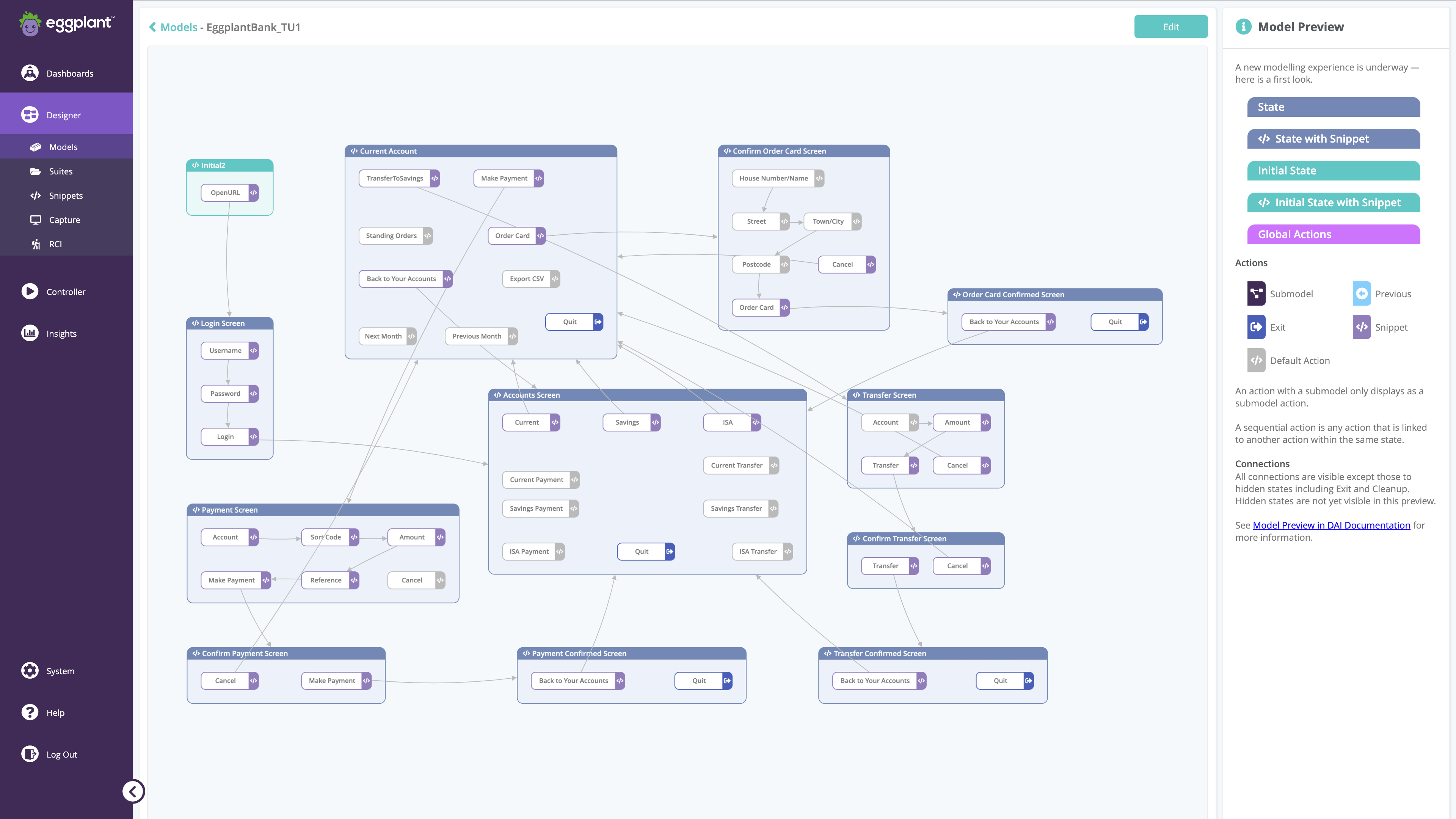
Real Results Teams Acheive with Keysight Eggplant Test


93% faster test execution
Reduce test cycles from 3 weeks to as little as 1 day


3,730 testing days saved
Saving over $900k through automated regression testing


92% reduction in testing hours
Free teams to focus on innovation, not manual testing
Writing test cases by hand is the bottleneck nobody's fixed
Manual Test Case Creation |
AI Test Case Generation with Keysight Eggplant |
| ❌ Test case creation takes longer than testing the feature | ✅ Automated test cases generated from your application model in minutes |
| ❌ Scripts break the moment the UI changes | ✅ Update the model once. Test cases rebuild themselves automatically |
| ❌ Coverage stops where your imagination does |
✅ AI covers every meaningful path, even ones you'd never consider |
| ❌ Regressions burns weeks before every release cycle | ✅ Fujifilm cut 3 weeks of regression testing to 1 day |
| ❌ More coverage means more manual work | ✅ One model scales test coverage, so you focus on more valuable tasks |
Request your demo
20 minutes. That's it.
Bring one real test scenario and we'll show you AI test case generation working on your workflow.
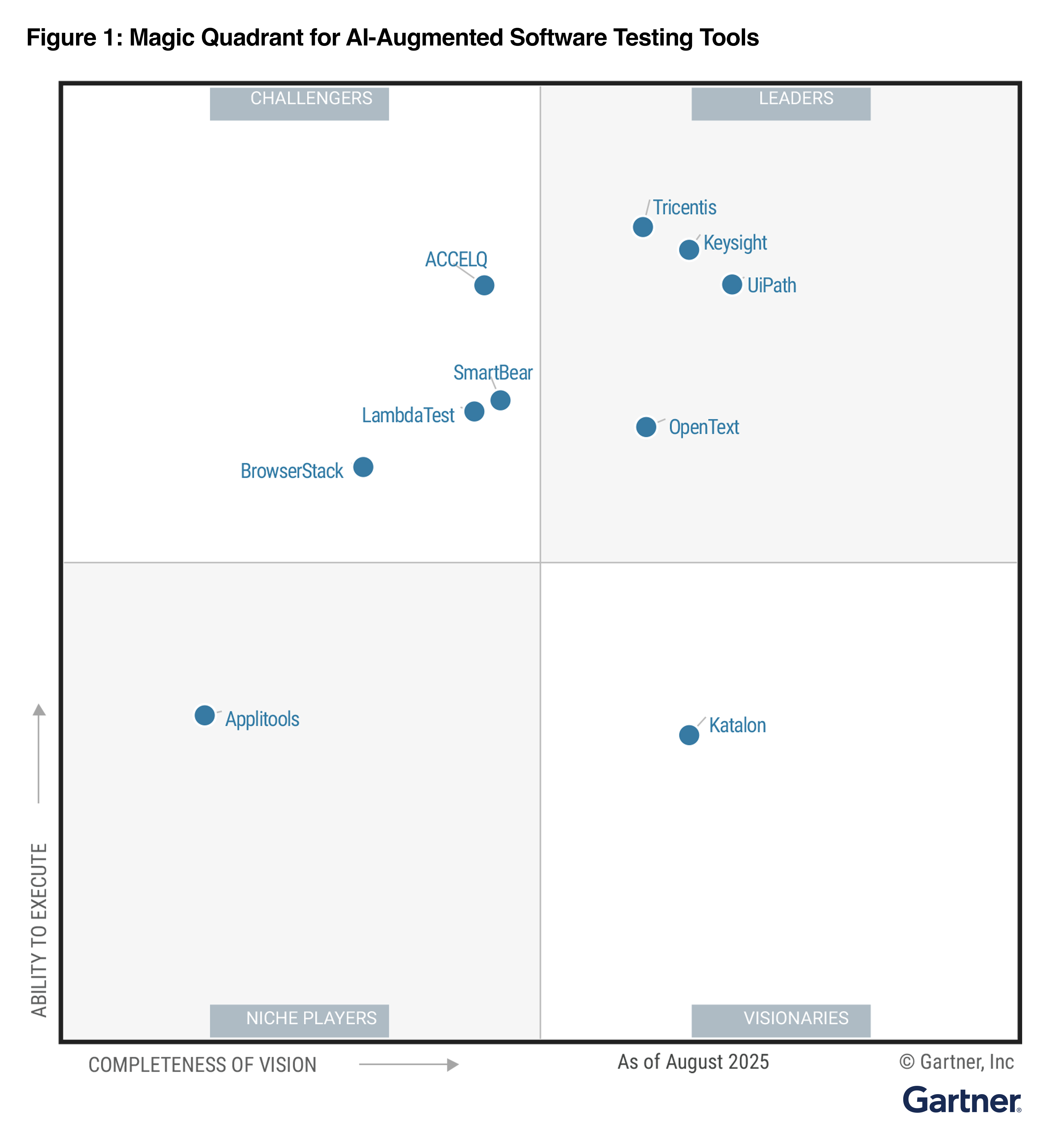
Named a Leader in the 2025 Gartner® Magic Quadrant™ for AI-Augmented Software Testing Tools
Keysight is named a Leader in the 2025 Gartner® Magic Quadrant™ for AI-Augmented Software Testing Tools, reflecting Gartner’s evaluation of vendors based on Completeness of Vision and Ability to Execute.

From One Journey to Scalable Coverage
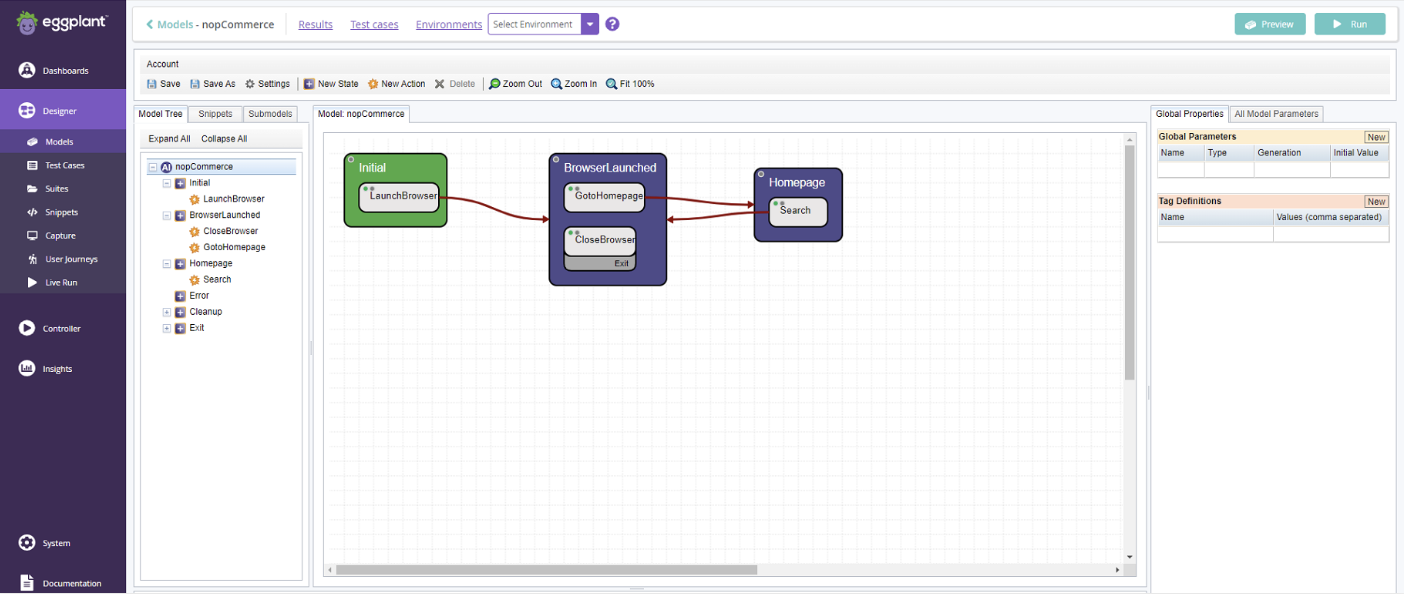
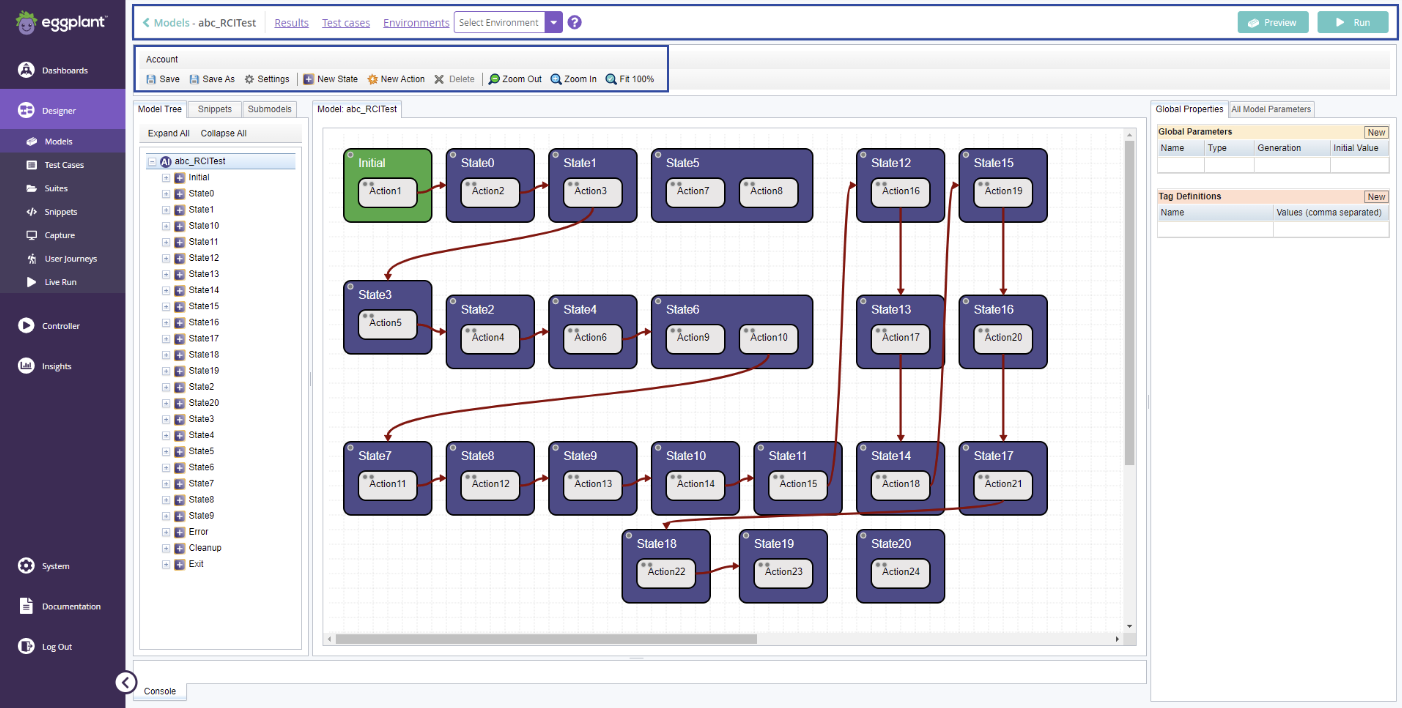
Step 1. Model the journey
Define the wokflow, key states, and the variations that matter, such as user roles, business rules, data conditions, and environment differences.

Step 2. Generate paths from the model
ML algorithms and AI automatically derive executable paths to cover more meaningful journey combinations than manual scripting.
Step 3. Execute in real environments
Run across desktop, web, mobile, Citrix/VDI, and other restricted setups.

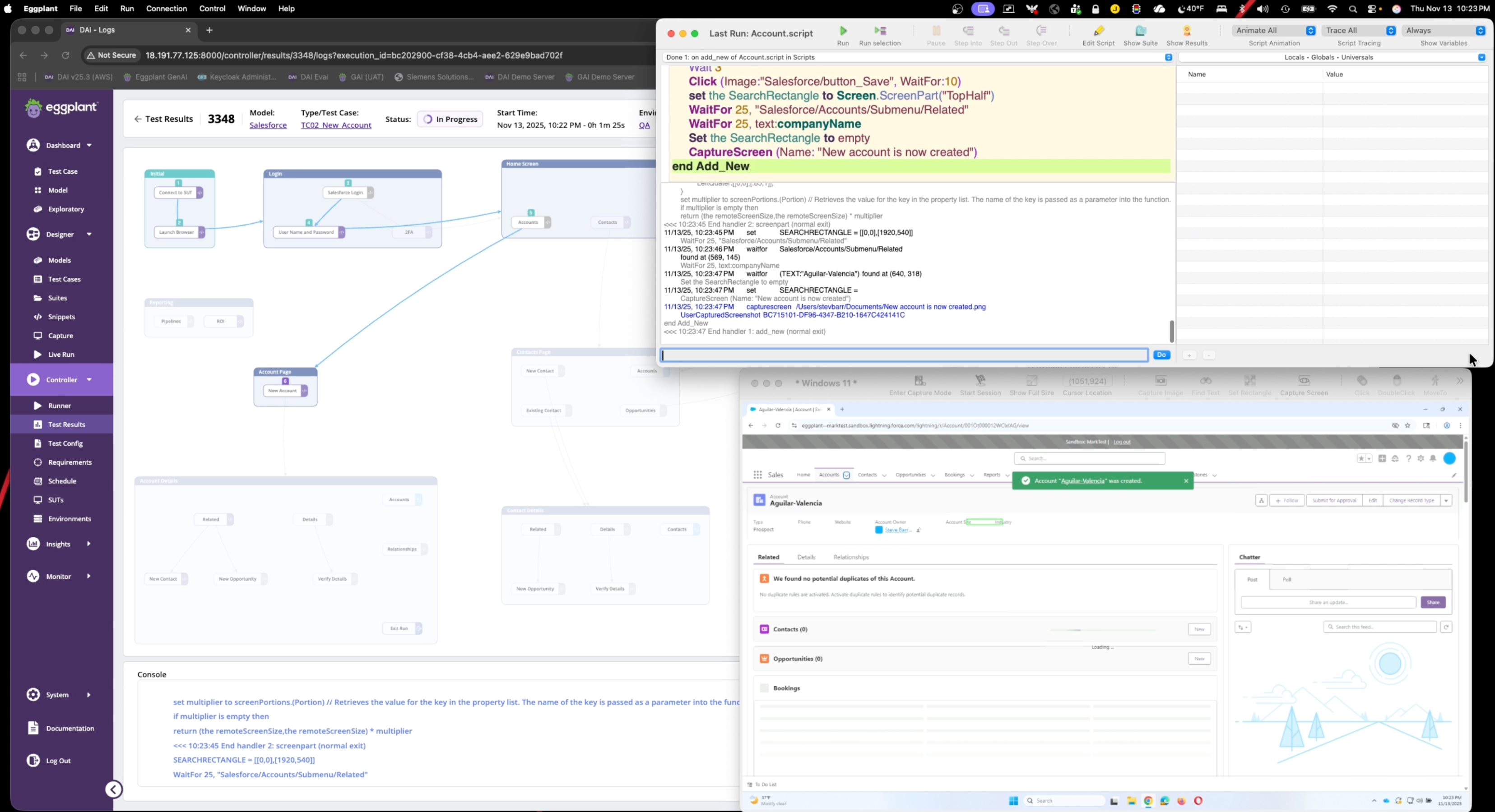
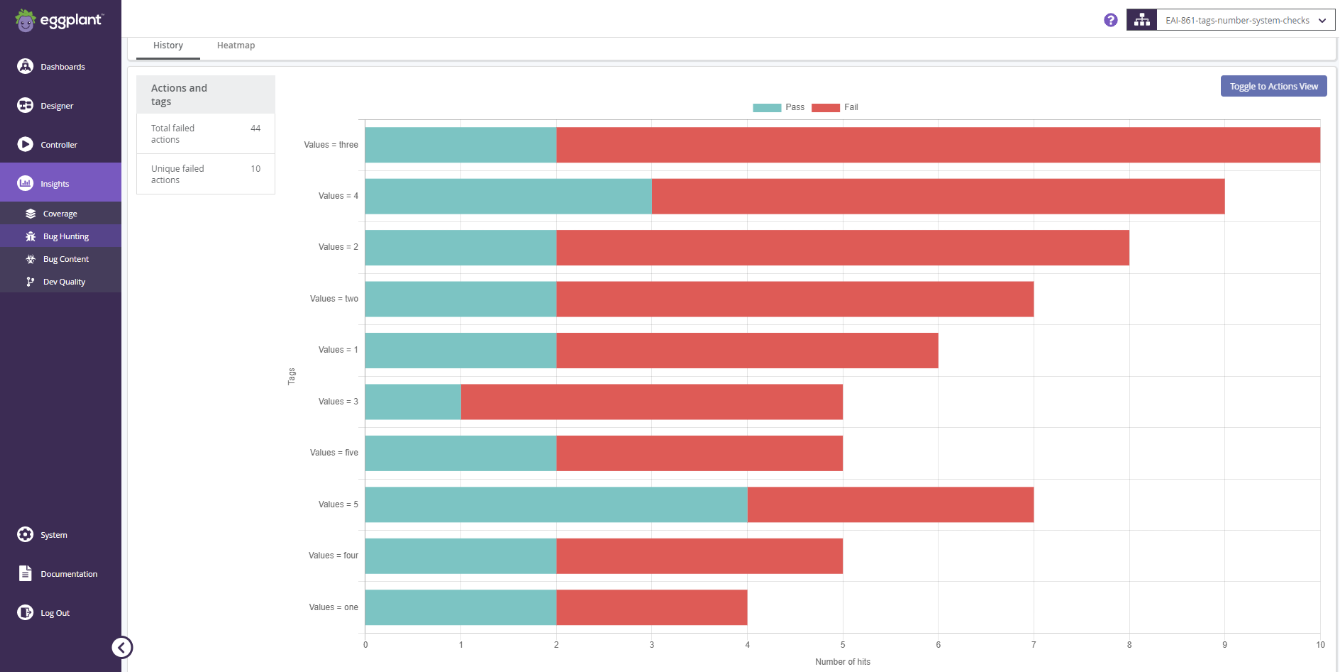
Step 4. Review coverage and execution evidence
Review model coverage, executed paths, pass/fail outcomes, screenshots, logs, and run evidence to understand what was tested and what failed.

Step 5. Update the model as workflows evolve
Update the model and reuse assets as the applications changes, without rebuilding large script suites.

What Our Customers Say
-


“...we succeeded in reducing the man-hours of the entire testing process by 92% compared to those required by conventional manual testing.”
Ms. Mio Azuma, Researcher, FUJIFILM Software Co