How to Tune Transmit Finite Impulse Response Taps

Automate Lane Tuning Through Lossy Fixtures
Lossy electrical fixtures and interconnects can degrade a high-speed PAM4 transmit signal before it reaches the measurement point, reducing the eye opening and making accurate evaluation more difficult. Engineers can compensate for this loss by adjusting transmit Finite Impulse Response (FIR) tap settings, but manual tuning requires repeated changes to the tap values followed by repeated waveform measurements. As the number of lanes and supported signaling rates increases, that process can become time-consuming and difficult to repeat consistently. Engineers need a method that measures the signal after it passes through the actual lossy path, determines how the transmitted waveform should be adjusted, and applies the updated FIR settings back to the source. The tuning process also needs an appropriate timing reference so the digital communications analyzer can evaluate the incoming waveform and eye correctly. A defined Pseudo-Random Binary Sequence Quaternary (PRBSQ) pattern provides the stimulus used during the tuning process, while the selected signaling rate determines the tap configuration that must be optimized. The objective is to improve the transmitted eye through the specific fixture or interconnect before additional measurements are performed.
A practical approach requires a closed connection between waveform analysis and transmitter adjustment rather than relying on repeated manual changes. The analyzer measures the incoming PAM4 signal, calculates new transmit FIR tap values, and returns those values so they can be applied to the transmitted signal. Engineers then verify that the updated settings have opened the eye and review the resulting eye statistics. The tuning can be applied to any selected electrical lane and supported speed, allowing different paths to be optimized individually. The setup may use a second lane to provide a square-wave clock with a divider that matches the analyzer clock input rate, or the analyzer can use Clock Data Recovery (CDR) as an alternative timing source. Engineers can begin with PRBSQ9 and a defined signal target amplitude, then use longer patterns or additional analyzer functions after the initial tuning if needed. Precision time-base measurements and filtering can also be applied after the first tuning pass to review the resulting signal. The goal is to reduce the time required to determine suitable FIR tap settings, apply those settings consistently, and verify the resulting eye before moving into subsequent signal-integrity or error-performance measurements.

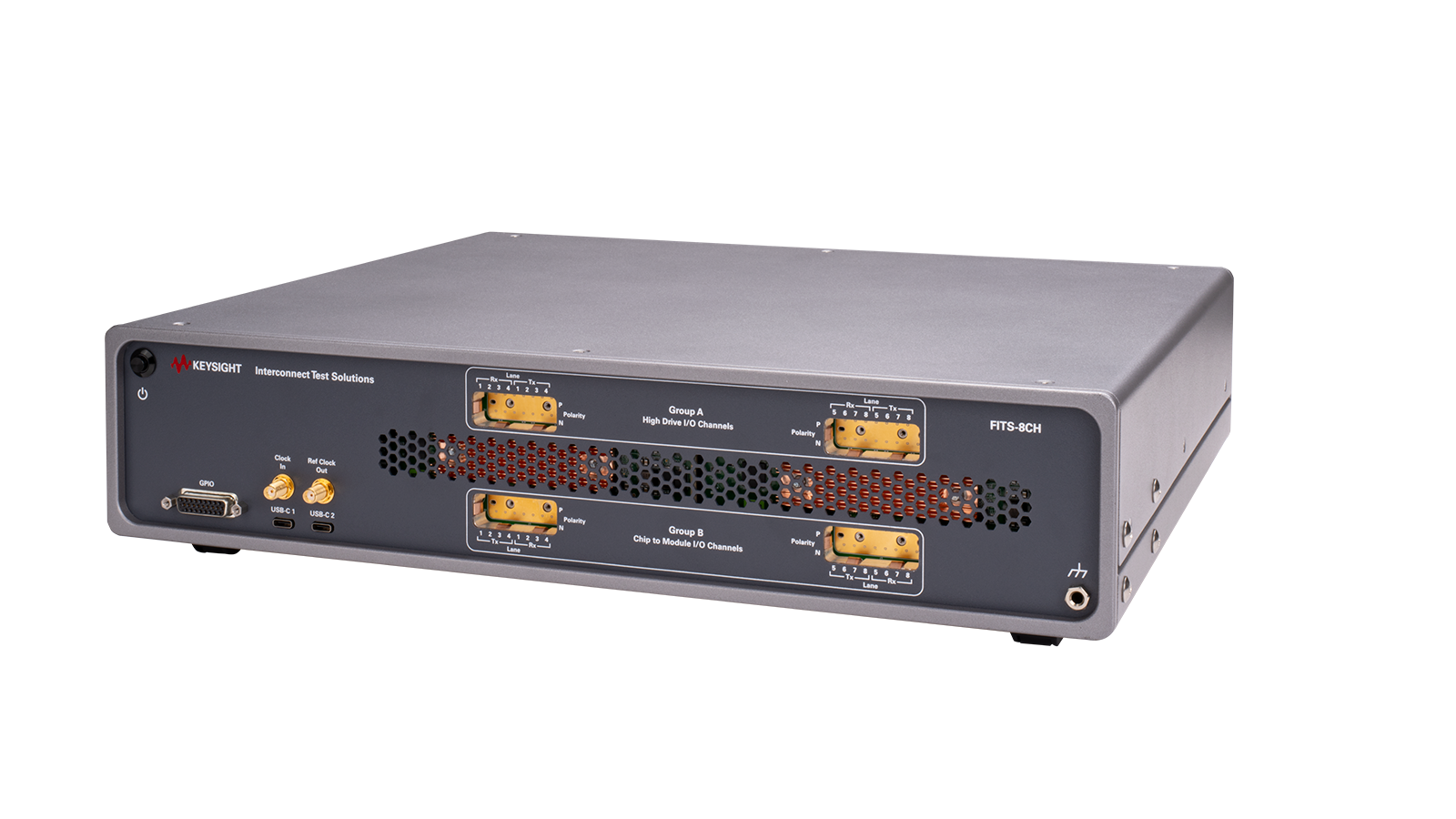
Automatic Transmit FIR Tuning Solution
See Demo Video of Automatic Transmit FIR Tuning Solution
Explore Products for Our Automatic Transmit FIR Tuning Solution
-

![]()
N1046A 75/85/100 GHz, 1/2/4 Port, Electrical Remote Sampling Head Module
-
![]()
N1060A 50/85 GHz Precision Waveform Analyzer
-
![]()
941-1020 FITS-8CH, 2RU Benchtop Chassis
-
![]()
930-3365 FITS-8CH Chassis — Advanced Option


Discover Resources and Insights
Additional Resources for Automatic Transmit FIR Tuning
Related Use Cases

-
![]()
Learn More
How to Test 1.6T Optical Receiver Sensitivity
Run automated stressed optical receiver sensitivity testing for 800GBASE and 1.6TBASE by integrating pattern and interference generation, optical stress conditioning, calibration, module control, and per-lane BER detection under optical receiver test software control.
Learn More

-
![]()
Learn More
How to Validate Electrical Evaluation Board Performance
Validate an electrical evaluation board by driving PRBSQ patterns through active or passive devices under test, routing loopbacks through the device or board, and measuring lane-by-lane bit error ratio and Forward Error Correction behavior across the configured high-speed PAM4 lanes.
Learn More
-
![]()
Learn More
How to Validate 1.6T Optical Transceivers
Benchmark a fully retimed 1.6T optical transceiver through host-side and optical loopback paths, configure supported Ethernet modes through CMIS, and measure per-lane BER and FEC statistics during short or long-duration system-level error-performance tests.
Learn More

Get in Touch with One of Our Experts
Need help finding the right solution for you?