Learn More
keysight:dtx/solutions/facets/development-area/networks,keysight:dtx/solutions/facets/industry/wireline-communications,segmentation:campaign/Network_Test,segmentation:business-unit/CSG,segmentation:funnel/bofu,segmentation:software-type/Network_Security_Traffic_Emulators,keysight:product-lines/ns,keysight:dtx/solutions/facets/workflow-stage/qa,keysight:models/94/944-1427,segmentation:product-category/Network_Security_Traffic_Emulators/Protocol_Layer_2_3_Simulators,segmentation:product-category/Network_Security_Traffic_Emulators,keysight:dtx/solutions/facets/design-and-test-product/network-emulator,keysight:models/94/947-4071,keysight:models/94/947-4072,keysight:models/94/947-4073,keysight:models/94/947-4074,keysight:models/94/947-4075,keysight:models/93/930-2208,keysight:models/94/947-4076keysight:dtx/solutions/facets/development-area/networks,keysight:dtx/solutions/facets/industry/wireline-communications,segmentation:campaign/Network_Test,segmentation:business-unit/CSG,segmentation:funnel/bofu,segmentation:software-type/Network_Security_Traffic_Emulators,keysight:product-lines/ns,keysight:dtx/solutions/facets/workflow-stage/qa,keysight:models/94/944-1427,segmentation:product-category/Network_Security_Traffic_Emulators/Protocol_Layer_2_3_Simulators,segmentation:product-category/Network_Security_Traffic_Emulators,keysight:dtx/solutions/facets/design-and-test-product/network-emulator,keysight:models/94/947-4071,keysight:models/94/947-4072,keysight:models/94/947-4073,keysight:models/94/947-4074,keysight:models/94/947-4075,keysight:models/93/930-2208,keysight:models/94/947-4076keysight:dtx/solutions/facets/development-area/networks,keysight:dtx/solutions/facets/industry/wireline-communications,segmentation:campaign/Network_Test,segmentation:business-unit/CSG,segmentation:funnel/bofu,segmentation:software-type/Network_Security_Traffic_Emulators,keysight:product-lines/ns,keysight:dtx/solutions/facets/workflow-stage/qa,keysight:models/94/944-1427,segmentation:product-category/Network_Security_Traffic_Emulators/Protocol_Layer_2_3_Simulators,segmentation:product-category/Network_Security_Traffic_Emulators,keysight:dtx/solutions/facets/design-and-test-product/network-emulator,keysight:models/94/947-4071,keysight:models/94/947-4072,keysight:models/94/947-4073,keysight:models/94/947-4074,keysight:models/94/947-4075,keysight:models/93/930-2208,keysight:models/94/947-4076keysight:dtx/solutions/facets/development-area/networks,keysight:dtx/solutions/facets/industry/wireline-communications,segmentation:campaign/Network_Test,segmentation:business-unit/CSG,segmentation:funnel/bofu,segmentation:software-type/Network_Security_Traffic_Emulators,keysight:product-lines/ns,keysight:dtx/solutions/facets/workflow-stage/qa,keysight:models/94/944-1427,segmentation:product-category/Network_Security_Traffic_Emulators/Protocol_Layer_2_3_Simulators,segmentation:product-category/Network_Security_Traffic_Emulators,keysight:dtx/solutions/facets/design-and-test-product/network-emulator,keysight:models/94/947-4071,keysight:models/94/947-4072,keysight:models/94/947-4073,keysight:models/94/947-4074,keysight:models/94/947-4075,keysight:models/93/930-2208,keysight:models/94/947-4076keysight:dtx/solutions/facets/development-area/networks,keysight:dtx/solutions/facets/industry/wireline-communications,segmentation:campaign/Network_Test,segmentation:business-unit/CSG,segmentation:funnel/bofu,segmentation:software-type/Network_Security_Traffic_Emulators,keysight:product-lines/ns,keysight:dtx/solutions/facets/workflow-stage/qa,keysight:models/94/944-1427,segmentation:product-category/Network_Security_Traffic_Emulators/Protocol_Layer_2_3_Simulators,segmentation:product-category/Network_Security_Traffic_Emulators,keysight:dtx/solutions/facets/design-and-test-product/network-emulator,keysight:models/94/947-4071,keysight:models/94/947-4072,keysight:models/94/947-4073,keysight:models/94/947-4074,keysight:models/94/947-4075,keysight:models/93/930-2208,keysight:models/94/947-4076keysight:dtx/solutions/facets/development-area/networks,keysight:dtx/solutions/facets/industry/wireline-communications,segmentation:campaign/Network_Test,segmentation:business-unit/CSG,segmentation:funnel/bofu,segmentation:software-type/Network_Security_Traffic_Emulators,keysight:product-lines/ns,keysight:dtx/solutions/facets/workflow-stage/qa,keysight:models/94/944-1427,segmentation:product-category/Network_Security_Traffic_Emulators/Protocol_Layer_2_3_Simulators,segmentation:product-category/Network_Security_Traffic_Emulators,keysight:dtx/solutions/facets/design-and-test-product/network-emulator,keysight:models/94/947-4071,keysight:models/94/947-4072,keysight:models/94/947-4073,keysight:models/94/947-4074,keysight:models/94/947-4075,keysight:models/93/930-2208,keysight:models/94/947-4076keysight:dtx/solutions/facets/development-area/networks,keysight:dtx/solutions/facets/industry/wireline-communications,segmentation:campaign/Network_Test,segmentation:business-unit/CSG,segmentation:funnel/bofu,segmentation:software-type/Network_Security_Traffic_Emulators,keysight:product-lines/ns,keysight:dtx/solutions/facets/workflow-stage/qa,keysight:models/94/944-1427,segmentation:product-category/Network_Security_Traffic_Emulators/Protocol_Layer_2_3_Simulators,segmentation:product-category/Network_Security_Traffic_Emulators,keysight:dtx/solutions/facets/design-and-test-product/network-emulator,keysight:models/94/947-4071,keysight:models/94/947-4072,keysight:models/94/947-4073,keysight:models/94/947-4074,keysight:models/94/947-4075,keysight:models/93/930-2208,keysight:models/94/947-4076keysight:dtx/solutions/facets/development-area/networks,keysight:dtx/solutions/facets/industry/wireline-communications,segmentation:campaign/Network_Test,segmentation:business-unit/CSG,segmentation:funnel/bofu,segmentation:software-type/Network_Security_Traffic_Emulators,keysight:product-lines/ns,keysight:dtx/solutions/facets/workflow-stage/qa,keysight:models/94/944-1427,segmentation:product-category/Network_Security_Traffic_Emulators/Protocol_Layer_2_3_Simulators,segmentation:product-category/Network_Security_Traffic_Emulators,keysight:dtx/solutions/facets/design-and-test-product/network-emulator,keysight:models/94/947-4071,keysight:models/94/947-4072,keysight:models/94/947-4073,keysight:models/94/947-4074,keysight:models/94/947-4075,keysight:models/93/930-2208,keysight:models/94/947-4076keysight:dtx/solutions/facets/development-area/networks,keysight:dtx/solutions/facets/industry/wireline-communications,segmentation:campaign/Network_Test,segmentation:business-unit/CSG,segmentation:funnel/bofu,segmentation:software-type/Network_Security_Traffic_Emulators,keysight:product-lines/ns,keysight:dtx/solutions/facets/workflow-stage/qa,keysight:models/94/944-1427,segmentation:product-category/Network_Security_Traffic_Emulators/Protocol_Layer_2_3_Simulators,segmentation:product-category/Network_Security_Traffic_Emulators,keysight:dtx/solutions/facets/design-and-test-product/network-emulator,keysight:models/94/947-4071,keysight:models/94/947-4072,keysight:models/94/947-4073,keysight:models/94/947-4074,keysight:models/94/947-4075,keysight:models/93/930-2208,keysight:models/94/947-4076keysight:dtx/solutions/facets/development-area/networks,keysight:dtx/solutions/facets/industry/wireline-communications,segmentation:campaign/Network_Test,segmentation:business-unit/CSG,segmentation:funnel/bofu,segmentation:software-type/Network_Security_Traffic_Emulators,keysight:product-lines/ns,keysight:dtx/solutions/facets/workflow-stage/qa,keysight:models/94/944-1427,segmentation:product-category/Network_Security_Traffic_Emulators/Protocol_Layer_2_3_Simulators,segmentation:product-category/Network_Security_Traffic_Emulators,keysight:dtx/solutions/facets/design-and-test-product/network-emulator,keysight:models/94/947-4071,keysight:models/94/947-4072,keysight:models/94/947-4073,keysight:models/94/947-4074,keysight:models/94/947-4075,keysight:models/93/930-2208,keysight:models/94/947-4076keysight:dtx/solutions/facets/development-area/networks,keysight:dtx/solutions/facets/industry/wireline-communications,segmentation:campaign/Network_Test,segmentation:business-unit/CSG,segmentation:funnel/bofu,segmentation:software-type/Network_Security_Traffic_Emulators,keysight:product-lines/ns,keysight:dtx/solutions/facets/workflow-stage/qa,keysight:models/94/944-1427,segmentation:product-category/Network_Security_Traffic_Emulators/Protocol_Layer_2_3_Simulators,segmentation:product-category/Network_Security_Traffic_Emulators,keysight:dtx/solutions/facets/design-and-test-product/network-emulator,keysight:models/94/947-4071,keysight:models/94/947-4072,keysight:models/94/947-4073,keysight:models/94/947-4074,keysight:models/94/947-4075,keysight:models/93/930-2208,keysight:models/94/947-4076keysight:dtx/solutions/facets/development-area/networks,keysight:dtx/solutions/facets/industry/wireline-communications,segmentation:campaign/Network_Test,segmentation:business-unit/CSG,segmentation:funnel/bofu,segmentation:software-type/Network_Security_Traffic_Emulators,keysight:product-lines/ns,keysight:dtx/solutions/facets/workflow-stage/qa,keysight:models/94/944-1427,segmentation:product-category/Network_Security_Traffic_Emulators/Protocol_Layer_2_3_Simulators,segmentation:product-category/Network_Security_Traffic_Emulators,keysight:dtx/solutions/facets/design-and-test-product/network-emulator,keysight:models/94/947-4071,keysight:models/94/947-4072,keysight:models/94/947-4073,keysight:models/94/947-4074,keysight:models/94/947-4075,keysight:models/93/930-2208,keysight:models/94/947-4076keysight:dtx/solutions/facets/development-area/networks,keysight:dtx/solutions/facets/industry/wireline-communications,segmentation:campaign/Network_Test,segmentation:business-unit/CSG,segmentation:funnel/bofu,segmentation:software-type/Network_Security_Traffic_Emulators,keysight:product-lines/ns,keysight:dtx/solutions/facets/workflow-stage/qa,keysight:models/94/944-1427,segmentation:product-category/Network_Security_Traffic_Emulators/Protocol_Layer_2_3_Simulators,segmentation:product-category/Network_Security_Traffic_Emulators,keysight:dtx/solutions/facets/design-and-test-product/network-emulator,keysight:models/94/947-4071,keysight:models/94/947-4072,keysight:models/94/947-4073,keysight:models/94/947-4074,keysight:models/94/947-4075,keysight:models/93/930-2208,keysight:models/94/947-4076keysight:dtx/solutions/facets/development-area/networks,keysight:dtx/solutions/facets/industry/wireline-communications,segmentation:campaign/Network_Test,segmentation:business-unit/CSG,segmentation:funnel/bofu,segmentation:software-type/Network_Security_Traffic_Emulators,keysight:product-lines/ns,keysight:dtx/solutions/facets/workflow-stage/qa,keysight:models/94/944-1427,segmentation:product-category/Network_Security_Traffic_Emulators/Protocol_Layer_2_3_Simulators,segmentation:product-category/Network_Security_Traffic_Emulators,keysight:dtx/solutions/facets/design-and-test-product/network-emulator,keysight:models/94/947-4071,keysight:models/94/947-4072,keysight:models/94/947-4073,keysight:models/94/947-4074,keysight:models/94/947-4075,keysight:models/93/930-2208,keysight:models/94/947-4076keysight:dtx/solutions/facets/development-area/networks,keysight:dtx/solutions/facets/industry/wireline-communications,segmentation:campaign/Network_Test,segmentation:business-unit/CSG,segmentation:funnel/bofu,segmentation:software-type/Network_Security_Traffic_Emulators,keysight:product-lines/ns,keysight:dtx/solutions/facets/workflow-stage/qa,keysight:models/94/944-1427,segmentation:product-category/Network_Security_Traffic_Emulators/Protocol_Layer_2_3_Simulators,segmentation:product-category/Network_Security_Traffic_Emulators,keysight:dtx/solutions/facets/design-and-test-product/network-emulator,keysight:models/94/947-4071,keysight:models/94/947-4072,keysight:models/94/947-4073,keysight:models/94/947-4074,keysight:models/94/947-4075,keysight:models/93/930-2208,keysight:models/94/947-4076keysight:dtx/solutions/facets/development-area/networks,keysight:dtx/solutions/facets/industry/wireline-communications,segmentation:campaign/Network_Test,segmentation:business-unit/CSG,segmentation:funnel/bofu,segmentation:software-type/Network_Security_Traffic_Emulators,keysight:product-lines/ns,keysight:dtx/solutions/facets/workflow-stage/qa,keysight:models/94/944-1427,segmentation:product-category/Network_Security_Traffic_Emulators/Protocol_Layer_2_3_Simulators,segmentation:product-category/Network_Security_Traffic_Emulators,keysight:dtx/solutions/facets/design-and-test-product/network-emulator,keysight:models/94/947-4071,keysight:models/94/947-4072,keysight:models/94/947-4073,keysight:models/94/947-4074,keysight:models/94/947-4075,keysight:models/93/930-2208,keysight:models/94/947-4076keysight:dtx/solutions/facets/development-area/networks,keysight:dtx/solutions/facets/industry/wireline-communications,segmentation:campaign/Network_Test,segmentation:business-unit/CSG,segmentation:funnel/bofu,segmentation:software-type/Network_Security_Traffic_Emulators,keysight:product-lines/ns,keysight:dtx/solutions/facets/workflow-stage/qa,keysight:models/94/944-1427,segmentation:product-category/Network_Security_Traffic_Emulators/Protocol_Layer_2_3_Simulators,segmentation:product-category/Network_Security_Traffic_Emulators,keysight:dtx/solutions/facets/design-and-test-product/network-emulator,keysight:models/94/947-4071,keysight:models/94/947-4072,keysight:models/94/947-4073,keysight:models/94/947-4074,keysight:models/94/947-4075,keysight:models/93/930-2208,keysight:models/94/947-4076keysight:dtx/solutions/facets/development-area/networks,keysight:dtx/solutions/facets/industry/wireline-communications,segmentation:campaign/Network_Test,segmentation:business-unit/CSG,segmentation:funnel/bofu,segmentation:software-type/Network_Security_Traffic_Emulators,keysight:product-lines/ns,keysight:dtx/solutions/facets/workflow-stage/qa,keysight:models/94/944-1427,segmentation:product-category/Network_Security_Traffic_Emulators/Protocol_Layer_2_3_Simulators,segmentation:product-category/Network_Security_Traffic_Emulators,keysight:dtx/solutions/facets/design-and-test-product/network-emulator,keysight:models/94/947-4071,keysight:models/94/947-4072,keysight:models/94/947-4073,keysight:models/94/947-4074,keysight:models/94/947-4075,keysight:models/93/930-2208,keysight:models/94/947-4076keysight:dtx/solutions/facets/development-area/networks,keysight:dtx/solutions/facets/industry/wireline-communications,segmentation:campaign/Network_Test,segmentation:business-unit/CSG,segmentation:funnel/bofu,segmentation:software-type/Network_Security_Traffic_Emulators,keysight:product-lines/ns,keysight:dtx/solutions/facets/workflow-stage/qa,keysight:models/94/944-1427,segmentation:product-category/Network_Security_Traffic_Emulators/Protocol_Layer_2_3_Simulators,segmentation:product-category/Network_Security_Traffic_Emulators,keysight:dtx/solutions/facets/design-and-test-product/network-emulator,keysight:models/94/947-4071,keysight:models/94/947-4072,keysight:models/94/947-4073,keysight:models/94/947-4074,keysight:models/94/947-4075,keysight:models/93/930-2208,keysight:models/94/947-4076
How To Test AI Data Center Networks
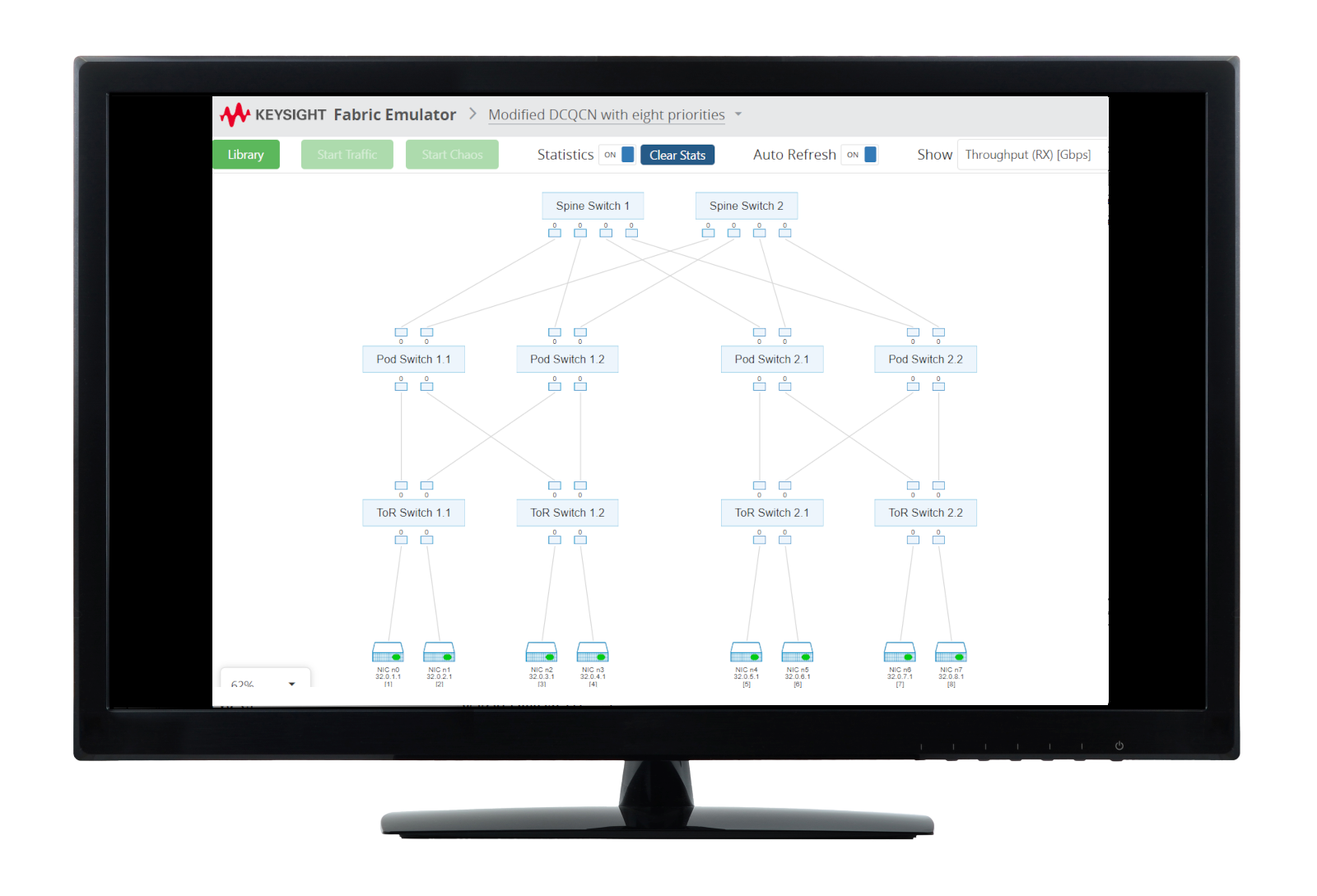
Emulating AI/ML workloads in a lab environment to benchmark and measure network fabric performance with repeatable results requires high-density traffic generators and specialized software. Learn how to identify the root-cause of network bottlenecks impacting AI/Machine Learning training time.
Learn More