
PX1001A PXIe Precision I/V Measurement Solution Package
Configuration Guides
Introduction
The Keysight PX1001A PXIe Precision I/V Measurement Solution Package offers industry-leading flexibility and extensibility for precision current-voltage (IV) measurements. It bundles with an M9010A PXIe chassis and an M9038A PXIe embedded controller with PXIe SMU modules. Additionally, the package includes some standard cables in addition to the PXIe SMU module.
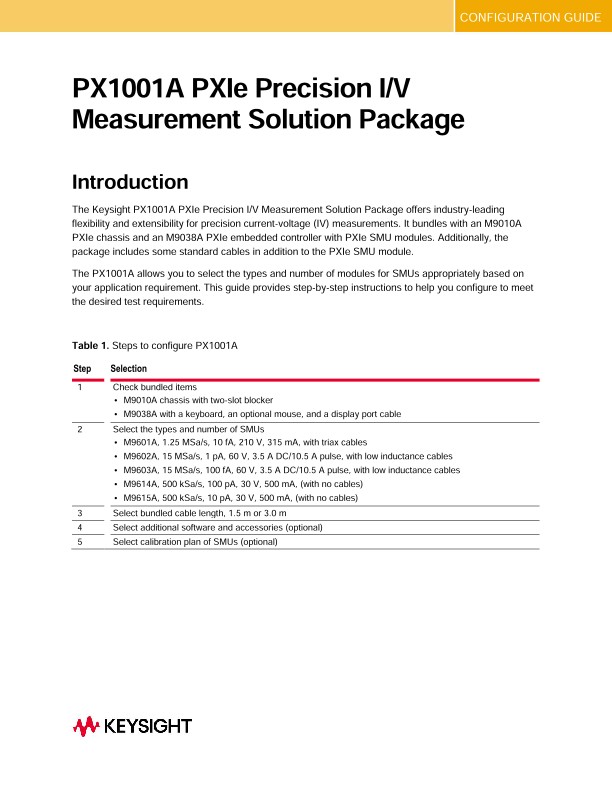
The PX1001A allows you to select the types and number of modules for SMUs appropriately based on your application requirement. This guide provides step-by-step instructions to help you configure to meet the desired test requirements.
Configuring Your Keysight PX1001A PXIe Precision I/V Measurement Solution Package
Step 1. Check bundled items
A PX1001A bundles an M9010A PXIe chassis, an M9038A PXIe embedded controller, and some accessories, as shown in Table 2.
Step 2. Select the types and number of SMUs
Table 3 shows the key specification of M9601/02/03/14/15A. Choose at least one of the SMUs. The maximum number of SMUs depends on the combination. Please refer to Table 4 for the details.
Step 3. Select bundled cable length, 1.5 m or 3.0 m
The accessories included with the PXIe SMU are listed in Table 6, along with a connection example. In this step, select the cable length of the bundled cables, 1.5 m or 3.0 m.
Step 4. Select additional software and accessories (Optional)
Select additional software and accessories according to your application requirements. PX0109A Quick I/V Measurement Software is recommended for easy and quick I/V measurement. It supports various license types. Please select the one that is appropriate for you.
PX0109A Quick I/V Measurement Software for PXIe Precision SMU
The Keysight PX0109A Quick I/V Measurement Software has powerful measurement capabilities to control the PXIe precision SMUs. It supports a variety of functions such as a sweep measurement, a sampling measurement, graphical display functions and the ability to save test results into CSV files, which makes it easy to quickly setup and perform IV measurements and to display the measurement data in tables and graphs without the need to program.
Step 5. Select a calibration plan of SMU modules (Optional)
Factory calibration and certification of calibration come as standard. The optional ISO 17025 (not accredited), ANSI Z540, and commercial calibration certificate with test data are available as follows.