Choose a country or area to see content specific to your location
Confirm Your Country or Area
México
Please Confirm
Confirm your country to access relevant pricing, special offers, events, and contact information.
Pinpoint interference with post-processing spectrum management software in the lab.
Use this selector tool to quickly identify the best power supply for your aerospace and defense ATE requirements.
3D Interconnect Designer provides a flexible modeling and optimization environment for any advanced interconnect structure, including chiplets, stacked die, packages, and PCBs.
Get faster digital validation for less with a trade-in.
Emulate every part of your data center infrastructure. Emulate Anything. Optimize Everything.
Use 25+ X-Series applications to analyze, demodulate, and troubleshoot signals across wireless, aerospace/defense, EMI, and phase noise.
With extra memory and storage, these enhanced NPBs run Keysight's AI security and performance monitoring software and AI stack.
Achieve fast, accurate board-level testing with robust inline and offline ICT designed for modern manufacturing.
Explore curated support plans, prioritized to keep you innovating at speed.
Achieve 200+ Gbaud multi-level modulated signals with high-speed AWGs for digital and optical standards.
Explore engineer-authored content and a vast knowledge base with thousands of learning opportunities.
Keysight Learn offers immersive content on topics of interest, including solutions, blogs, events, and more.
Track. Discover. Personalize. All in one place.
Quick access to support related self-help tasks.
Additional content to support your product needs.
Explore services to accelerate every step of your innovation journey.
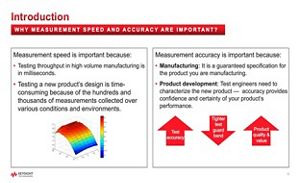
Test accuracy is a valuable asset as it can help improve your product quality and performance.
Learn:
Lesson 1 - Introduction - Optimizing Speed and improving Accuracy with a DMM
An overview of the course and the benefits of improving speed and accuracy with a digital multimeter (DMM) for manufacturing and product development engineers.
Lesson 2 - Steps to Improve Measurement Accuracy
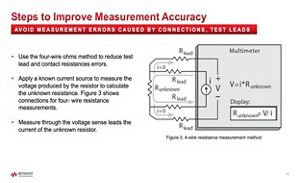
Demonstration of how to improve measurement accuracy by choosing the right hardware setup, configuration, and calibration for different types of DMM measurements.
Lesson 3 - Steps to Optimize Measurement Speed
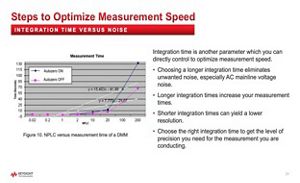
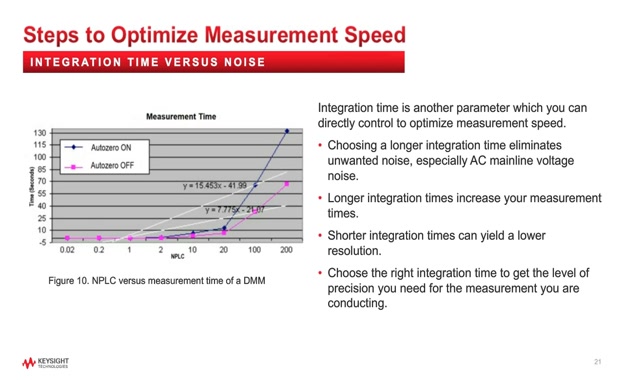
Demonstration of how to optimize measurement speed by adjusting the aperture time, range, and trigger settings of the DMM, as well as using the auto-zero and fast mode features.
Lesson 4 - Modern DMM Features to Improve Productivity
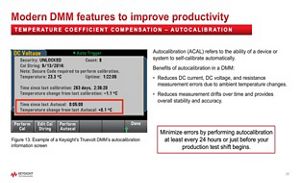
Demonstration of how to use the modern DMM features such as auto-calibration, digitizing mode, histogram, and statistics to improve measurement stability, accuracy, and insight.
Lesson 5 - PC Software Application to Improve Productivity
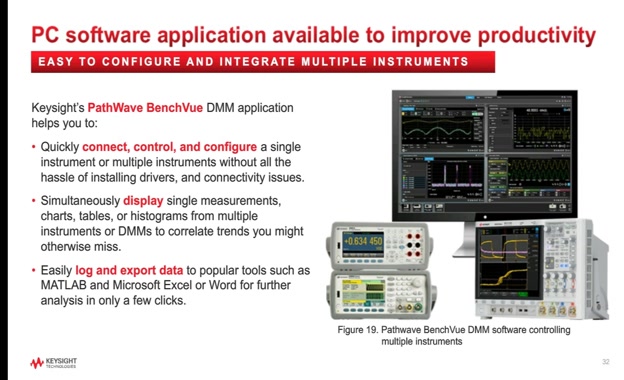
Demonstration of how to use the PC software application BenchVue to control, monitor, and analyze DMM measurements remotely and easily.
Lesson 6 - Summary - Optimizing Speed and improving Accuracy with a DMM
Summary of the main points and takeaways from the course, as well as some additional resources and tips for further learning.
White Papers
Autocalibration Improves DMM Measurement Stability and Accuracy
Optimize speed and improve accuracy with your digital multimeter.
Remove Resistance, Current, and Frequency Measurement Errors in DMMs
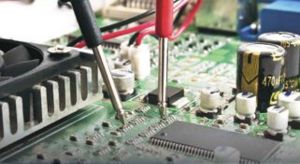
Learn how to correct common DMM errors in resistance, DC/AC current, frequency, and period for maximum accuracy.
Eliminate Measurement Errors and Achieve the Greatest Accuracy Using a DMM
Read this white paper to uncover several sources of system cabling and DC voltage measurement errors.
hardware
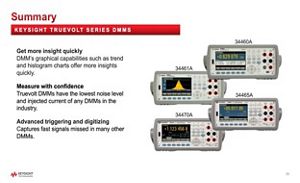
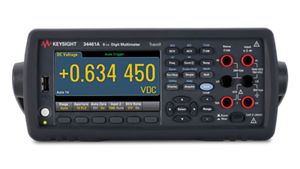
34461A Digital Multimeter, 6 ½ Digit, Truevolt DMM
6.5 digit Truevolt DMM with Truevolt technology for greater accuracy and quicker measurement insights. Replacement for model 34401A.
How to Monitor Battery Health and Temperature
Perform fast data logging measurements of multiple temperature points using a data acquisition system
What are you looking for?