

About the Course
This course focuses on an introduction to PAM-DIEMAKER for CATIA V5 (Graphical user interface for fast feasibility and production validation surfaces). Participants learn about the user interface, how to design a stamping process (Draw, Trimming, Flange, part modification, and additional tools,) and export to PAM-STAMP to run simulations.

Audience
CAE and CAD engineers, model designers, etc.

Course Objective
Learn to perform die design using the PAM-DIEMAKER for CATIA V5 workbench from an existing geometry part and design the full stamping process.
Course Details
 Duration: 2 Days
 Level: Basic
Prerequisites
Basic knowledge of the stamping process, die design, and CAE / CAD solutions.
prev
- Available Dates
- Curriculum
- Learning Path
No suitable date or place? Request custom training.
Day 1
- GUI introduction
- Initial setting
- Draw
- Die Starter: Automatic die face designer,
- Early Feasibility
- Feasibility and Validation
- Profile edition
- Step-by-step die design
- Double part
- Die Starter: Automatic die face designer,
- Trimming
- OP definition
- Draw-in from Sheet Metal Forming (PAM-STAMP)
- Segment
- Notch
- Cam tipping
Day 2
- Flange and cam
- Exporting from PAM-DIEMAKER to Sheet Metal Forming (PAM-STAMP)
- Additional tools
- Geometric drawbeads
- DM smart tools
- Advanced gainers
- Wall opening
- Part radius modification
- Unfillet corner
- Rolling cylinders
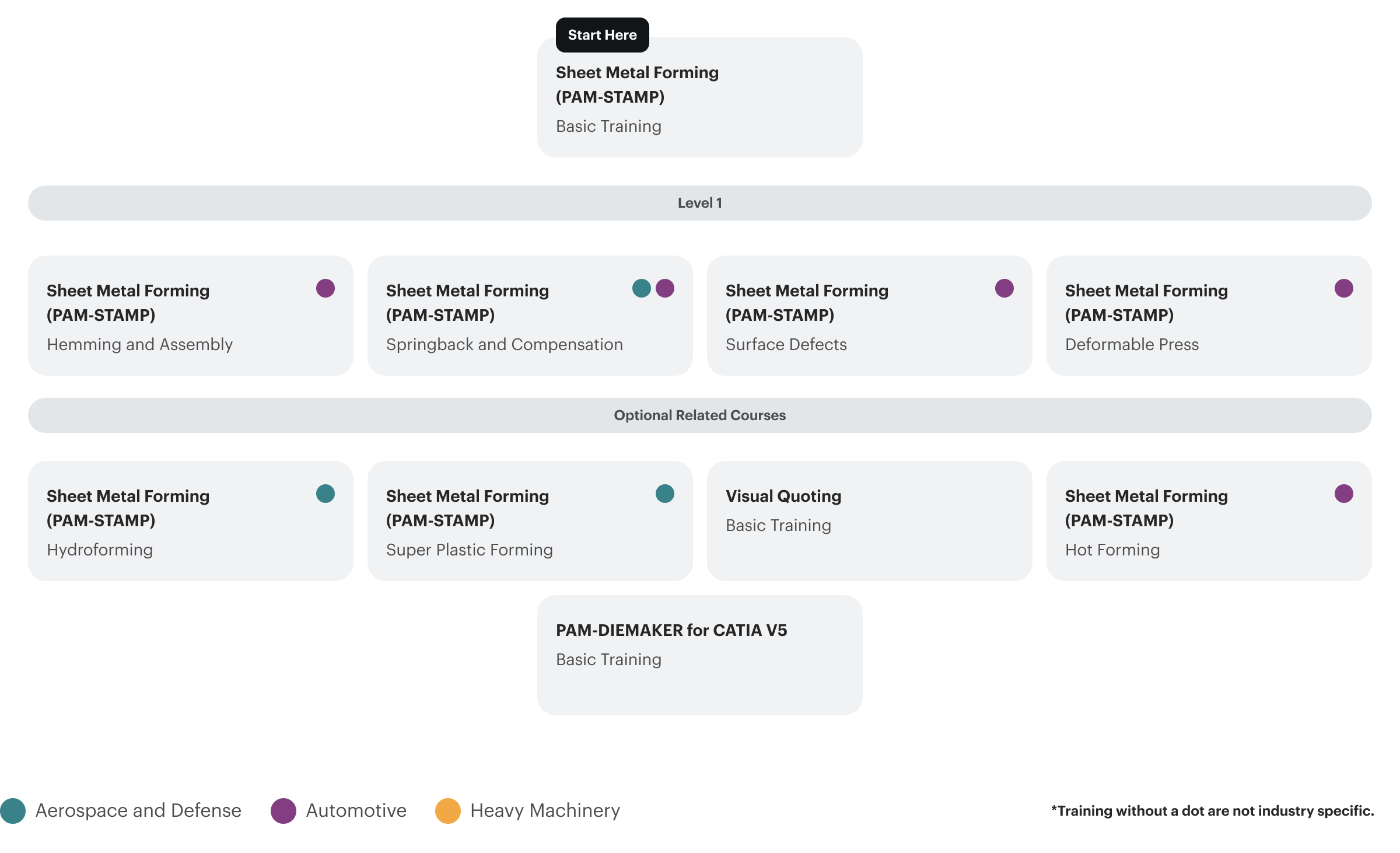
Suggested Courses
-
 Stamping - Basic Training
-
Sheet Metal Forming (PAM-STAMP) - Basic Training
-
Sheet Metal Forming (PAM-STAMP) - Deformable press
-
Sheet Metal Forming (PAM-STAMP) - Hemming and Assembly
-
Sheet Metal Forming (PAM-STAMP) - Hot Forming
-
Sheet Metal Forming (PAM-STAMP) - Hydroforming
-
Sheet Metal Forming (PAM-STAMP) - Springback and Compensation
-
Sheet Metal Forming (PAM-STAMP) - Super Plastic Forming
-
Sheet Metal Forming (PAM-STAMP) - Surface defects
-
VISUAL QUOTING - Basic Training