What are you looking for?
Suggested searches
No product matches found - System Exception
Matched content
How to Enable Trial Licenses for PathWave Instrument RPA
How to Enable Your Trial License in 6 Steps
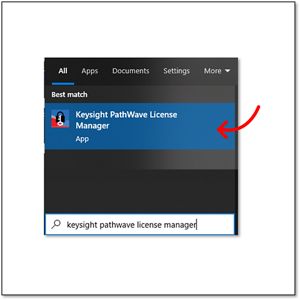
Step 1 : Launch Keysight PathWave License Manager (PLM). PLM is installed together with PathWave Instrument RPA.

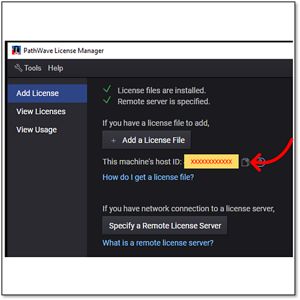
Step 2 : In PLM, copy your PC's Host ID. If there are more than 1, select the last Host ID.

Step 3 : Refer to the PathWave Instrument RPA Trial License Options table below to choose which trial license(s) you would like to enable.
Step 4 : Enter your Host ID from Step 2 into the resulting webform. Complete and submit the form.
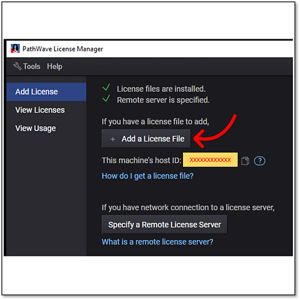
Step 5 : Upon receiving your License File via email from license_support@keysight.com, launch PLM and add the .lic License File.

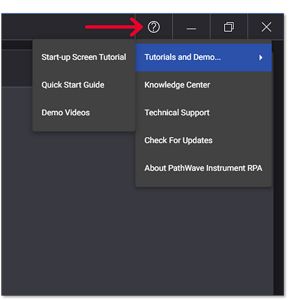
Step 6 : Launch PathWave Instrument RPA and automate away complexity and repetition. Go to Help Menu to find more information on RPA.

PathWave Instrument RPA Trial License Options
| Product Model | Description | Trial License |
|---|---|---|
| BV7001A | PathWave Instrument RPA, PC-based, Standard, Single Connection | Request a Trial License |
| BV7002A | PathWave Instrument RPA, PC-based, Advanced, Multiple Connections | Request a Trial License |