What are you looking for?
Keysight Handheld Meter Logger Software for PC
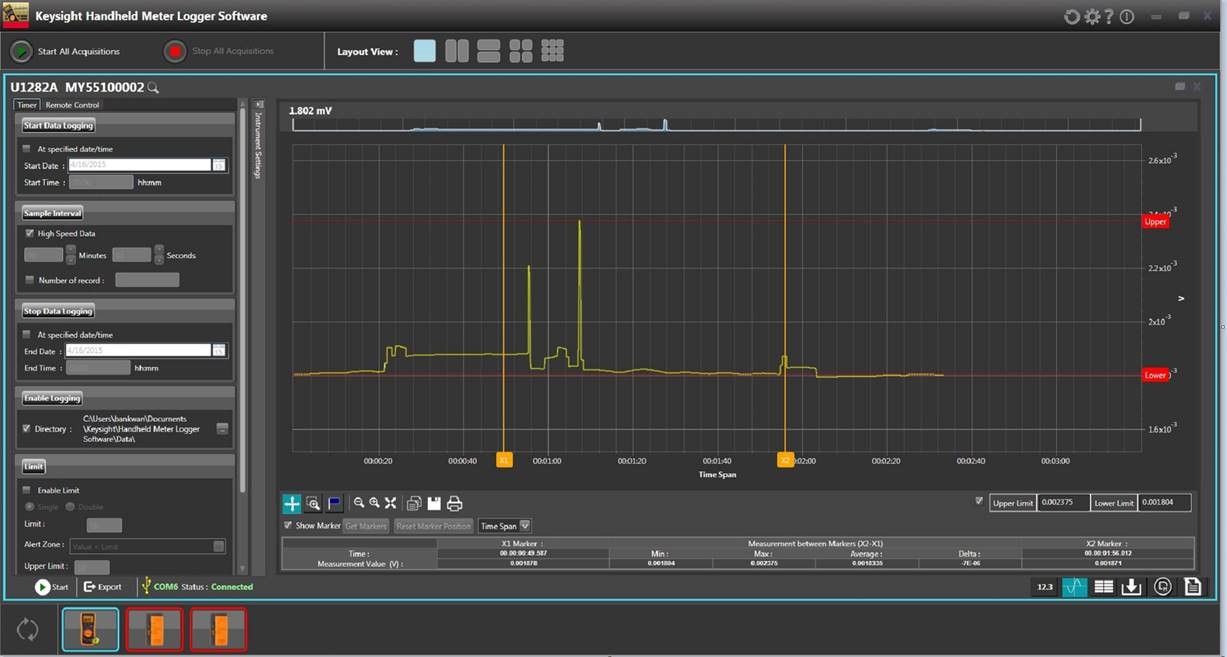
Keysight Meter Logger Software provides a comprehensive data logging experience with Keysight U1200 Series handheld digital multimeters and U1450A/60A handheld insulation multimeters. This PC software allows user to automatically log data in a trend plot or table format and subsequently convert the logged data into various test report formats.
| Release Date | Version | Version Description |
|---|---|---|
| 2015-12-03 | 3.1.51130.01 | Keysight Handheld Meter Logger Software for U1210, U1230, U1240B, U1240C, U1250, U1270, U1280, U1450A/60A Series and U1115A. |
| Release Date | Version |
|---|---|
| 2015-12-03 | 3.1.51130.01 |
| Version Description |
|---|
| Keysight Handheld Meter Logger Software for U1210, U1230, U1240B, U1240C, U1250, U1270, U1280, U1450A/60A Series and U1115A. |
How to Download
1. Click the Download button.
2. Save the file to your computer and note the directory where the file is saved.
3. Click on ‘KeysightHandhledMeterLogger.exe’ and follow instruction to install.
How to Install
1. Click on ‘KeysightHandhledMeterLogger.exe’ and follow instruction to install.
- Windows 10 (refer to the installation method under “Supporting Document”)
Licensing
- Does Not Require a License
Supporting Documentation
Installs on: PC
Operating System
- Windows 10
Prerequisites
Supported Instruments
- U1210, U1230, U1240B, U1240C, U1250, U1270, U1280, U1450A/60A Series and U1115A.
How to Download
1. Click the Download button.
2. Save the firmware.zip file to your computer and note the directory where the file is saved.
3. Unzip the file to access these files in the folder, ensure the 3 files are available (host, util, Firmware_Upgrade.txt).
4. Download and install the Firmware Upgrade Utility.
How to Install
1. Unzip the downloaded file to a directory of your choice and simply double click on the “KeysightHandheldMeterLogger.exe” file to start the installation.
Licensing
- Does Not Require a License
Supporting Documentation
Installs on: PC
Operating System
- Windows 8
- Windows 7
- Windows XP
Prerequisites
No specific prerequisites required.
Supported Instruments
- U1210, U1230, U1240B, U1250, U1270, U1280, U1450A/60A Series and U1115A
How to Download
1. Click the Download button.
2. Save the zip file to your computer and note the directory where the file is saved.
How to Install
Unzip the downloaded file to a directory of your choice and simply double click on the “KeysightHandheldMeterLogger.exe” file to start the installation.
Licensing
- Does Not Require a License
Installs on: PC
Operating System
- Windows 8
- Windows 7
- Windows XP
Prerequisites
- Information Not Available
Supported Instruments
- U1210, U1230, U1240, U1250, U1270 and U1450A/60A Series, U1115A