
Tech Guides
Vector Magnitude Calculator: Essential Guide for Electrical Engineers



Calculating vector magnitudes should be simple but for many electrical engineers, it's anything but.
Whether you're validating antenna gain in a wireless design or troubleshooting multi-parameter simulations in R&D, the math can slow you down, especially as vectors move beyond 3D.
You need results you can trust and most generic calculators don’t cut it. They oversimplify higher-dimensional data, lack transparency, and don't align with your workflow. That leads to errors, wasted time, and second-guessing critical design decisions.
That’s why we built this guide. It covers the basics, helps you avoid common mistakes, and shows how a professional-grade vector magnitude calculator can improve your workflow. Whether you're working in 2D, 3D, or exploring 4D and 5D, you'll find clear, practical solutions. We’ll walk through step-by-step examples and highlight the key features to look for.
What is Vector Magnitude?
In engineering, vector magnitude refers to the length or size of a vector, a quantity that has both direction and magnitude. It’s a foundational concept used to describe physical phenomena such as voltage, current, electric field intensity, and signal strength.
When vectors are represented in 2D or 3D coordinate systems, their magnitude is calculated using the square root of the sum of the squares of their components.
For example, in a 2D system, a voltage vector might be described by its horizontal and vertical components. In 3D, you might evaluate electromagnetic field intensity across three spatial axes. In more complex cases like multi-sensor data fusion or signal modeling, vectors can extend into 4D or 5D, with each component representing a different physical variable.
Vector magnitude helps engineers assess system behavior, quantify signal paths, or analyze directional effects in designs. Accurate calculations are essential for simulation, testing, and real-time analysis across a wide range of applications.
Vector Components and Coordinate Systems
Most engineering applications rely on Cartesian coordinates, where vectors are defined by perpendicular axes (x, y, z, and beyond). In contrast, spherical coordinate systems define vectors based on radius and angles, useful for antenna radiation patterns or wave propagation analysis.
- 2D vectors include two components: (x, y)
- 3D vectors add a third component: (x, y, z)
- Higher-dimensional vectors (4D, 5D, etc.) include additional parameters, such as time, frequency, or phase.
Common Vector Types and Coordinate Contexts
| Dimension | Vector Components | Typical Use | Coordinate System |
|---|---|---|---|
| 2D | x, y | Voltage vectors, circuit layout | Cartesian |
| 3D | x, y, z | EM field intensity, antenna gain | Cartesian, or spherical |
| 4D | x, y, z, time | Signal behavior over time | Cartesian, or spherical |
| 5D | x, y, z, frequency, phase | Multivariate waveform analysis | Cartesian or spherical |
The coordinate system you choose directly affects how you interpret and compute magnitude. For example, converting spherical data to Cartesian form is often necessary before performing standard magnitude calculations. To simplify these tasks and avoid conversion errors, try our Vector Magnitude Calculators designed for 2D, 3D, 4D, and 5D vectors.
Fundamental Formula for Vector Magnitude
The basic formula for calculating the magnitude of a 3D vector is:
Each term represents a component of the vector along a coordinate axis:
- x – the component along the horizontal (x) axis
- y – the component along the vertical (y) axis
- z – the component along the depth (z) axis
This formula stems from the Pythagorean theorem and extends naturally from 2D into 3D and beyond. It’s widely used in engineering simulations to evaluate electric field strength, directional signal power, and force vectors in physical systems. Even slight miscalculations can distort results in high-frequency circuit models or electromagnetic simulations.
To build a deeper understanding of the mathematics behind these operations, explore the MIT OpenCourseWare Linear Algebra Course, which covers vector spaces, coordinate systems, and practical matrix applications for engineers.

How to Use a Vector Magnitude Calculator
Using a vector magnitude calculator helps you quickly determine the length of a vector without manual computation. Follow these steps to get accurate results:
- Choose the correct dimension: Select 2D, 3D, 4D, or 5D depending on your vector.
- Input component values: Enter the values for each axis (x, y, z, etc.) in the corresponding fields. Use decimal points or negative signs as needed.
- Click "Calculate": The calculator applies the formula √(x² + y² + z² + ...) and returns the magnitude instantly.
- Review the result: This value represents the vector’s length in Euclidean space, often interpreted as field strength, voltage drop, or directional signal power in electrical engineering.
Example:
Suppose you enter a 3D vector with x = 3, y = -4, and z = 5.
The calculator computes:
Tips for accurate results:
- Double-check for unit consistency. All components should be in the same scale (e.g., volts, meters).
- Watch for sign errors, especially with negative components.
- Don’t skip unused fields in higher dimensions, leave them blank or set to zero.
Calculating Higher-Dimensional Vector Magnitudes
In electrical engineering, 4D and 5D vectors often represent systems where more than three parameters influence behavior.
While 2D and 3D vectors cover spatial dimensions, higher-dimensional vectors can include variables such as frequency, phase, time, temperature, or voltage across multiple test points.
The formula for magnitude in any n-dimensional space extends naturally from the 3D version:
Each component (x₁ to xₙ) represents a dimension of the vector. This formula allows engineers to evaluate the overall magnitude of a system influenced by multiple interdependent variables.
Use cases include:
- Signal processing: Each component corresponds to a harmonic, frequency bin, or filter output in spectral analysis.
- Antenna array measurements: Components may represent azimuth, elevation, amplitude, and phase for beamforming and direction-finding.
- Multi-sensor analysis: Dimensions capture various electrical or environmental parameters such as voltage, current, temperature, or vibration.
Example – 4D vector:
Let’s say you’re analyzing a signal represented by vector components:
x = 2, y = -3, z = 4, w = 6
Step-by-step:
- Square each component: 2² = 4, (–3)² = 9, 4² = 16, 6² = 36
- Add them together: 4 + 9 + 16 + 36 = 65
- Take the square root: √65 ≈ 8.06
This value gives you the total vector length across all four contributing variables.
Common Engineering Applications of Vector Magnitude
Vector magnitude plays a critical role across many electrical engineering domains. Whether you're modeling field strength or evaluating multi-axis performance, understanding the true length of a vector ensures that signal and system behavior are accurately quantified.
- Signal strength and direction analysis: In RF design, engineers often represent directional signal paths as vectors. Calculating the magnitude helps determine total signal power across multiple paths, enabling more precise beam shaping or interference mitigation.
- Antenna field intensity calculations: Antenna radiation patterns are vector fields. By calculating the magnitude of the electric field vector at different points in space, engineers can optimize antenna gain and coverage. For example, a phased array system relies on magnitude analysis to steer beams in the desired direction.
- Electromagnetic field evaluation: During EMC testing, field probes collect x, y, and z components of electric or magnetic fields. Calculating the total field magnitude ensures compliance with safety or emissions standards.
- Circuit design validation: Vector quantities such as impedance or phasor current often have multiple components (e.g., real and imaginary parts). Engineers use magnitude to evaluate total current flow or voltage drop across components, especially in AC circuit simulations.
- Wireless communications testing: Evaluating vector magnitude allows test engineers to verify signal constellations, calculate EVM (Error Vector Magnitude), and ensure modulation quality, key metrics for standards like 5G, LTE, or Wi-Fi.
For example, during a 5G signal test, the ability to break down and measure the magnitude of error vectors across all carriers helps diagnose fading, phase noise, or distortion.
Learn more about generating and analyzing signal vectors in our Keysight Signal Generators Overview.
Advanced Features to Look for in a Vector Magnitude Calculator
A basic vector magnitude calculator can handle simple inputs, but for professional engineering work, you need a tool built for precision, clarity, and flexibility. Look for these advanced features to ensure your calculator supports real-world use cases:
- Integration with vector operations: The best tools let you go beyond magnitude and compute related operations like the dot product or cross product, which are essential for field alignment, angle detection, and power projections in circuit analysis.
- Support for multiple coordinate systems: Whether you’re working in Cartesian or spherical coordinates, the calculator should allow easy switching and convert inputs correctly to ensure consistent results across formats.
- Step-by-step solution transparency: Engineering demands traceability. A good calculator should show how it arrives at the result, helping you verify inputs, detect issues, and document your process clearly.
- Dimensional flexibility: Make sure the tool can handle 4D, 5D, or even higher-dimensional vectors, especially for use in signal processing or multi-channel measurement applications.
- Accuracy checks and error notifications: A professional calculator will validate inputs, catch inconsistencies (like missing or non-numeric values), and flag potential entry errors, helping you avoid false results and wasted time.
These features are essential for engineering workflows that require precision and confidence in every calculation.
Troubleshooting Common Vector Magnitude Calculation Issues
Even simple vector calculations can go wrong when inputs or assumptions are off. Here are the most common issues engineers face and how to resolve them.
Frequent user errors include:
- Incorrect input signs: Forgetting a negative sign or entering the wrong decimal place can skew results significantly.
- Coordinate confusion: Mixing up Cartesian and spherical components without conversion leads to invalid magnitudes.
- Missing dimensions: Leaving out a value in higher-dimensional vectors (4D, 5D) often results in underreporting total magnitude.
To cross-check results manually:
- Square each component, even negative ones.
- Add the squared values together.
- Take the square root of the total to verify the result.
Unrealistic values such as zero magnitude when nonzero components exist often point to a data entry mistake or dimensional mismatch. Magnitudes that are unexpectedly large or small may reflect inconsistent units or improperly scaled data (e.g., combining millivolts and volts).
Professional tools help mitigate these errors by validating inputs, flagging dimensional inconsistencies, and offering clear, step-by-step outputs. These safeguards are especially important when your results impact antenna alignment, signal strength validation, or safety-critical EMC testing.
Using the right calculator doesn’t just save time, it protects the integrity of your entire engineering workflow.
Enhancing Your Workflow with Engineer-Focused Vector Tools
In fast-paced engineering environments, precision is essential. That’s why using vector magnitude calculators designed specifically for electrical engineers can dramatically improve both speed and accuracy. These tools reinforce confidence in your work by aligning with how you test, simulate, and validate real-world systems.
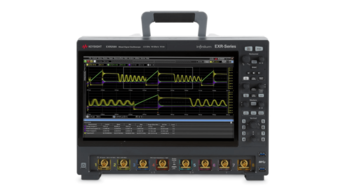
Engineer-focused calculators integrate seamlessly with tools you already use—like Keysight oscilloscopes, signal generators, and network analyzers. For example, after measuring signal components across multiple axes, you can quickly calculate total magnitude to confirm signal behavior or validate system symmetry.
This synergy between software and hardware tightens the feedback loop. Instead of toggling between platforms or manually transferring values, you work within a streamlined environment that respects your workflow and supports deeper analysis.
Whether you’re calculating signal field strength, visualizing antenna gain, or analyzing EVM in communications testing, having tools built for engineering use cases makes all the difference.
For a deeper look at how vectors relate to signal systems, check out our Oscilloscopes Basics Guide.
How Keysight’s Vector Magnitude Calculator Empowers Electrical Engineers
Keysight’s Vector Magnitude Calculator is built with one goal in mind: to deliver precise, engineering-grade results that integrate effortlessly into your technical workflow.
Unlike generic tools, it offers step-by-step clarity, supports 2D through 5D vectors, and ensures accuracy through error-checking and transparent calculations. Whether you're analyzing signal behavior, evaluating antenna fields, or validating circuit performance, the calculator gives you reliable data.
It’s also designed to complement Keysight instruments like oscilloscopes, signal generators, and network analyzers. By aligning with how electrical engineers collect and process measurements, this tool closes the gap between raw data and actionable insight.
Conclusion
Choosing the right vector magnitude calculator can eliminate many of the daily frustrations engineers face. With a solution built specifically for electrical engineering, you gain speed, trust in your results, and clarity in every step of the process.
Whether you're analyzing multidimensional signals, validating antenna patterns, or verifying measurements in real time, a professional-grade calculator helps you move faster and make better decisions.
At Keysight, we believe precision should be both accessible and reliable. That’s why our tools are designed to support your most demanding workflows. Try the calculator today and explore Keysight’s full range of premium used equipment at Keysight Premium Used Store—performance you can count on, without compromise.
Whenever You’re Ready, Here Are
5 Ways We Can Help You
Call tech support US: +1 800 829-4444
Press #, then 2. Hours: 7am – 5pm MT, Mon– Fri
Contact our sales support team
Create an account to get price alerts and access to exclusive waitlists
Talk to your account manager about your specific needs
Frequently Asked Questions
The magnitude is the length of a vector. In 2D, it's calculated as √(x² + y²). In 3D, the formula is √(x² + y² + z²), where x, y, and z are the vector components along each axis.
Select the correct dimensional mode (e.g., 4D or 5D), enter each component value in its respective field, and run the calculation. The tool will automatically apply the extended magnitude formula.
Watch out for sign errors, skipped fields in higher dimensions, mixing coordinate systems, and inconsistent units across components.
Magnitude formulas assume Cartesian input. If you’re using spherical coordinates, you’ll need to convert them to Cartesian form first—or use a calculator that handles both systems.
Yes. Since each component is squared, negative values are treated properly and don’t affect the final magnitude incorrectly.
Look for multi-dimensional support, coordinate system flexibility, integration with vector operations, step-by-step outputs, and error-checking features.
They quantify total field strength or directionality—critical for optimizing gain, beam steering, or signal reliability.
Yes. Engineer-grade tools often display intermediate steps to help with verification and learning.
Manually square each component, sum them, and take the square root. Use the calculator’s output history or logs to confirm accuracy.
Professional calculators, like Keysight’s, are built to work alongside oscilloscopes, signal generators, and other lab tools to streamline analysis and validation.
Frequently Asked Questions
What is the magnitude of a vector and how is it calculated in 2D and 3D?
The magnitude is the length of a vector. In 2D, it's calculated as √(x² + y²). In 3D, the formula is √(x² + y² + z²), where x, y, and z are the vector components along each axis.
How do you use a vector magnitude calculator for multidimensional vectors?
Select the correct dimensional mode (e.g., 4D or 5D), enter each component value in its respective field, and run the calculation. The tool will automatically apply the extended magnitude formula.
What are the common mistakes to avoid when entering vector components into a calculator?
Watch out for sign errors, skipped fields in higher dimensions, mixing coordinate systems, and inconsistent units across components.
How does the choice of coordinate system (Cartesian vs spherical) affect magnitude calculation?
Magnitude formulas assume Cartesian input. If you’re using spherical coordinates, you’ll need to convert them to Cartesian form first—or use a calculator that handles both systems.
Can a vector magnitude calculator handle vectors with negative components correctly?
Yes. Since each component is squared, negative values are treated properly and don’t affect the final magnitude incorrectly.
What advanced features should I look for in a professional vector magnitude calculator?
Look for multi-dimensional support, coordinate system flexibility, integration with vector operations, step-by-step outputs, and error-checking features.
How can vector magnitude calculations help with signal strength and antenna design?
They quantify total field strength or directionality—critical for optimizing gain, beam steering, or signal reliability.
Does the calculator provide step-by-step explanations to improve understanding of calculations?
Yes. Engineer-grade tools often display intermediate steps to help with verification and learning.
How can I verify and troubleshoot results obtained from a vector magnitude calculator?
Manually square each component, sum them, and take the square root. Use the calculator’s output history or logs to confirm accuracy.
Are vector magnitude calculators optimized for integration with electrical measurement instruments and workflows?
Professional calculators, like Keysight’s, are built to work alongside oscilloscopes, signal generators, and other lab tools to streamline analysis and validation.